
Tracking Classes
What Is a Tracking Class?
A tracking class (the Tracking Class field on a transaction) is an analytical tag you can attach to transactions to report along dimensions outside your standard accounts, categories, or funds:
- Ministries: tag transactions for youth, worship, or missions to aggregate ministry-specific spending.
- Campuses or locations: segment transactions by site for multi-campus churches.
- Programs or events: track all spending for a summer camp, building campaign, or one-time conference.
- Departments: isolate administrative spending from facilities maintenance without duplicating category accounts.
Tracking classes operate alongside categories and funds. While a category defines the nature of the expense and a fund designates donor restrictions, a tracking class indicates the operational segment, ministry, or facility involved.
Mode Requirements
The Tracking Class field is available only in Full Accounting. It is hidden in Simple Checkbook, where transaction entry remains focused on essential fields (date, amount, account, category, fund).
You can switch between Simple Checkbook and Full Accounting at any time using the Accounting Mode button on the Finance Dashboard. Switching views changes only the interface and navigation options: underlying financial records remain untouched, and previously assigned tracking classes are preserved.
Tagging a Transaction
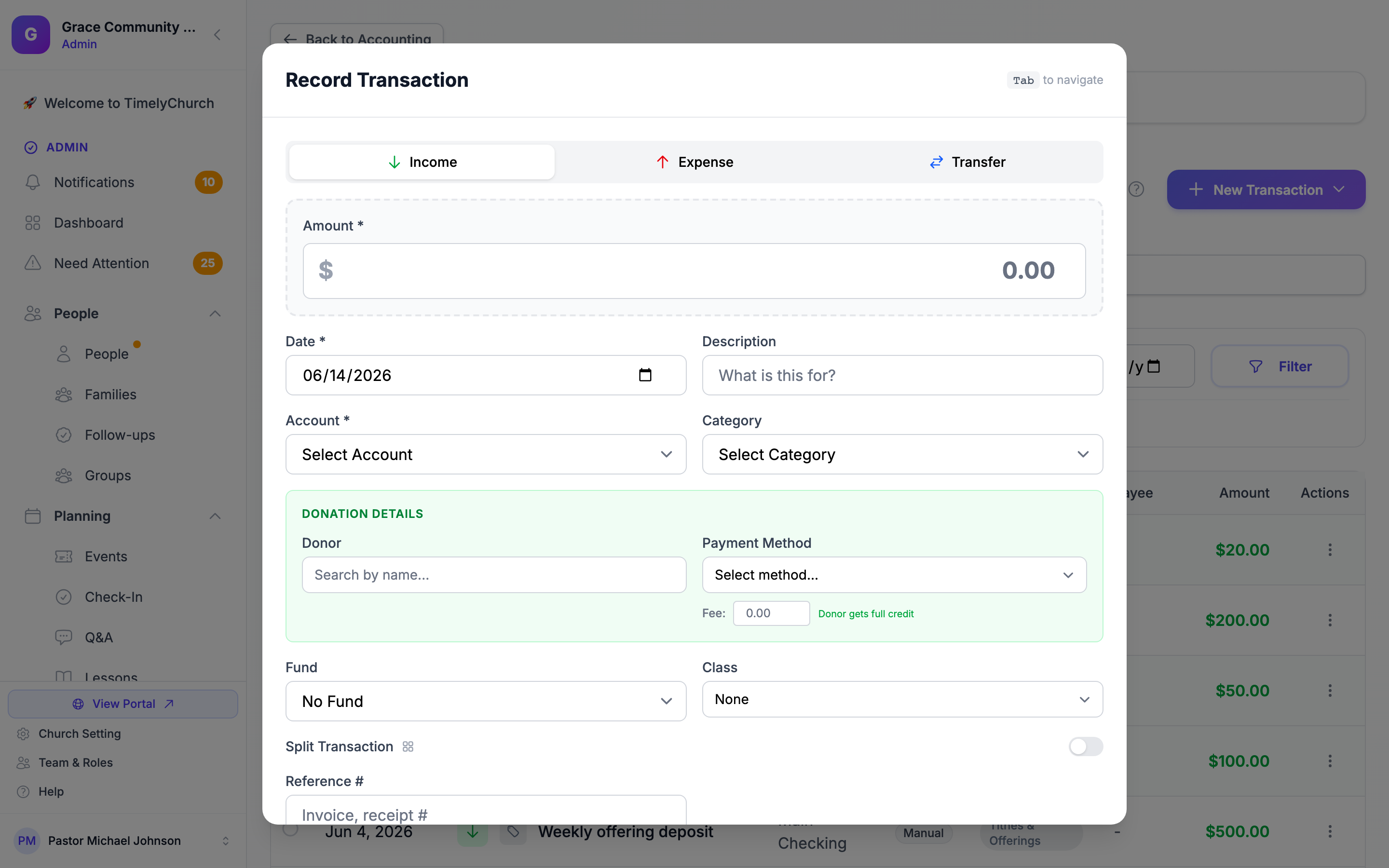
In Full Accounting, the Tracking Class dropdown appears on the entry form:
- On the Transactions page, click New Transaction and select New Expense, New Income, or New Transfer. (All three open the same form, pre-set to that type.)
- Complete the standard transaction fields.
- In the Tracking Class dropdown (next to Fund), pick the class this transaction belongs to. Leaving it on None is always allowed; not every transaction needs a class.
- Click Record Transaction.
The Tracking Class selector is also available when editing existing transactions.
When you use Split Transaction to divide an entry across multiple categories, each line item links to the parent transaction's tracking class.
For donation records created automatically by the Giving module, you can assign tracking classes by editing the posted income transactions.
Where Tracking Classes Come From
The values in the Tracking Class dropdown represent the active classes configured for your church. If only None appears, no custom classes have been created.
Note: Class setup is handled by TimelyChurch as part of your accounting configuration. If you need a new class added, renamed, or retired, contact support and we will set it up for you.
Most churches maintain between 5 and 25 classes. A class can be marked inactive to retire it without losing history: inactive classes stop appearing in the Tracking Class dropdown but stay attached to the transactions that already use them.
Best Practices
Keep the list short. A handful of well-defined classes is more useful than dozens of overlapping ones. Aim for the smallest number that answers the questions your board actually asks.
Decide a tagging convention up front. "Tag every transaction" works for some churches; "tag only ministry-specific transactions, leave general overhead untagged" works for others. Pick a convention and document it.
Tracking class versus fund. Use a fund when donor restrictions or accounting rules say money must be kept separate. Use a tracking class when you only need to report on it as a slice. Many churches use both: e.g., the Building Fund (fund) might also be tagged with "Capital Campaign 2026" (class) to differentiate from prior campaigns held in the same fund.
Tracking class versus category. Categories are the chart-of-accounts dimension that flows into your Income Statement. Tracking classes are an orthogonal dimension. Use both. A single utility bill might be in category "Utilities" and tagged with class "Main Campus" -- both are useful, neither replaces the other.