
Association Reports
Audience: Everyone on an association's HQ team — Admin, Viewer, and Billing roles can all open Reports.
The Reports page in Association HQ rolls up membership, attendance, and giving across every member church in your association. Everything on it is a total — no names, no individual records — so you can compare churches side by side without seeing anyone's personal information. In these reports, each member church is called a campus.
Opening Reports
In Association HQ, click Reports in the top navigation. The page is titled Association Reports, with the subtitle "Aggregate metrics across all churches" and the current month.
Months are counted on each church's own calendar, in that church's timezone, so a church on the other side of the country starts its new month at its own midnight.
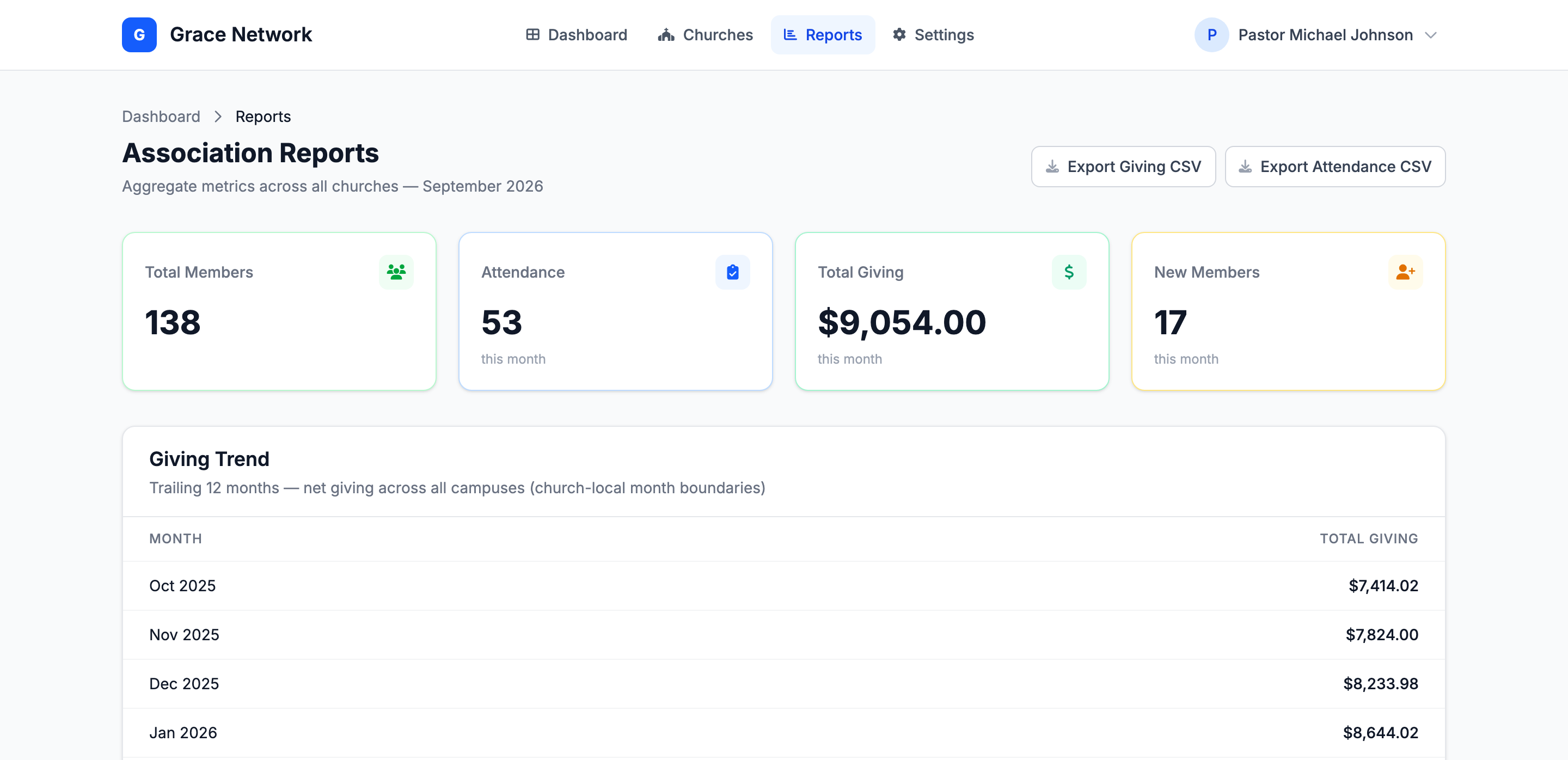
The four summary cards
| Card | What it counts |
|---|---|
| Total Members | Everyone in the People directory of every member church. |
| Attendance (this month) | People with at least one check-in marked present this month. Each person counts once per church, however many times they checked in. |
| Total Giving (this month) | Gifts dated this month, with refunds subtracted. A fully refunded gift is not counted. |
| New Members (this month) | People added to each church's directory this month. |
Giving Trend
"Trailing 12 months — net giving across all campuses (church-local month boundaries)". One row per Month with the Total Giving for all member churches combined, refunds subtracted.
Giving by Campus
"This month and trailing 12 months per campus". One row per member church with two amounts: This Month and 12 Mo. (the last 12 months, including this one).
Giving by Fund
"Trailing 12 months — campus + fund breakdown (aggregate only)". One row for each church and fund combination — for example, Grace North · Building Fund — with the 12-month Total. Gifts split across several funds are counted in each fund by the amount allocated to it. If no church has fund allocations yet, the table reads "No fund allocations yet."
Attendance Comparison
"Weekly (last 4 weeks) and monthly (12 months) per campus — present check-ins only". Two tables, one row per church:
- Weekly — the last four weeks, each column headed Wk and the week's start date.
- Monthly — the last 12 months, one column per month.
These tables count check-ins, not people: someone who checks in every Sunday adds one to each week. Only check-ins marked present are counted.
Per-Church Comparison
"Side-by-side breakdown for the current month". One row per church with Members, Attendance, Giving, and New Members for this month, and a Totals row at the bottom that matches the four summary cards.
Tip: On a phone, the Attendance, Giving, and New Members columns are hidden to save space. Turn the phone sideways or use a tablet or computer to see every column.
Downloading the numbers (CSV)
Two buttons at the top right of the page download the report data as spreadsheet (CSV) files:
- Export Giving CSV — columns Report Type, Period, Campus, Fund, and Amount (USD). It contains the 12-month giving trend for all campuses, each campus's giving for this month and the last 12 months, and the 12-month giving per campus and fund.
- Export Attendance CSV — columns Period Type, Period, Campus, and Attendance Count. It contains each campus's weekly check-in counts for the last four weeks and monthly counts for the last 12 months.
Both files contain totals only — no names, email addresses, or individual gifts.
Where the numbers come from
- Giving comes from the gifts each member church records in its own Giving module, including online gifts.
- Attendance comes from check-ins recorded in each church's Check-In module and marked present.
- Members and New Members come from each church's People directory.
If a church's numbers look low, the usual reason is that the church records that activity somewhere else — for example, a church that doesn't use check-in shows no attendance here.
Related articles
- Association HQ Overview — the Dashboard, Churches, and each church's detail page.
- Association HQ Team and Roles — who can open Reports.
- Joining an Association (for Member Churches) — what a member church shares with the association.