
Rehearsal Readiness and Reminders
Great services are rehearsed, not improvised. TimelyChurch gives your worship team a practice loop: each member marks the songs they have learned, RSVPs to the rehearsal, and keeps private practice notes, while the leader watches a team-readiness % climb and sends reminders so nobody forgets.
The Rehearse Page (for team members)
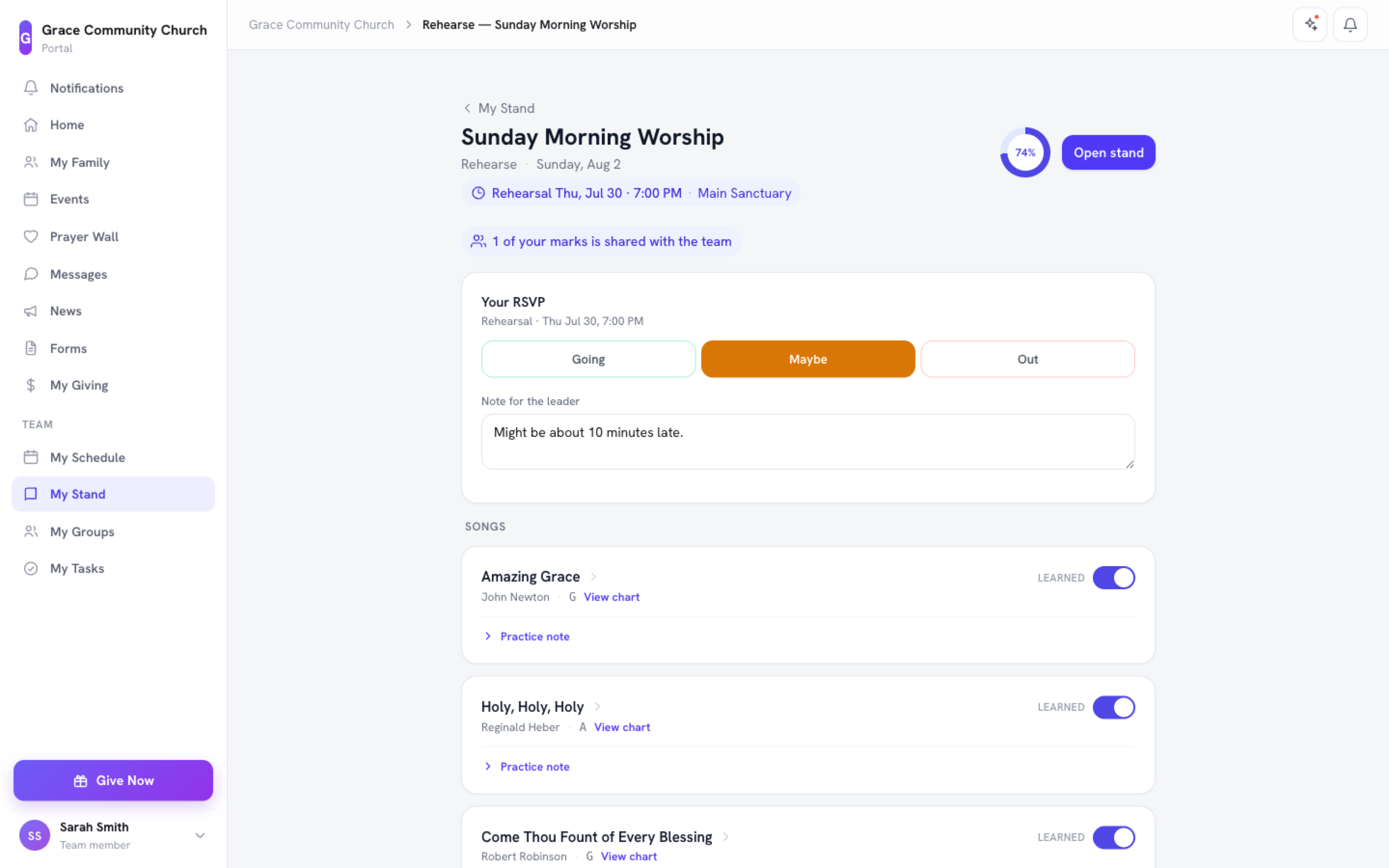
From My Stand, tap Rehearse / Prep on a set to open its Rehearse page. The ring at the top shows how ready the team is, and Open stand takes you back to the reader. Each song has View chart and these tools:
- Learned toggle -- Mark a song as learned once you have it down. Your progress rolls up into the team readiness figure.
- Team readiness % -- See how ready the whole team is for this song and this set.
- Your RSVP -- Tell the leader whether you are coming to rehearsal: Going, Maybe, or Not Going, with an optional Note for the leader.
- Practice note -- Keep private notes on a song ("work on the bridge", "slow the intro") and click Save note. These are yours alone and are never shown to leaders or the rest of the team.
- Listen buttons -- YouTube/Spotify links so you can practice along.
- Play-along -- If the leader has set a reference recording on the song, a compact inline player appears -- see below.
Practice Along with the Reference Recording
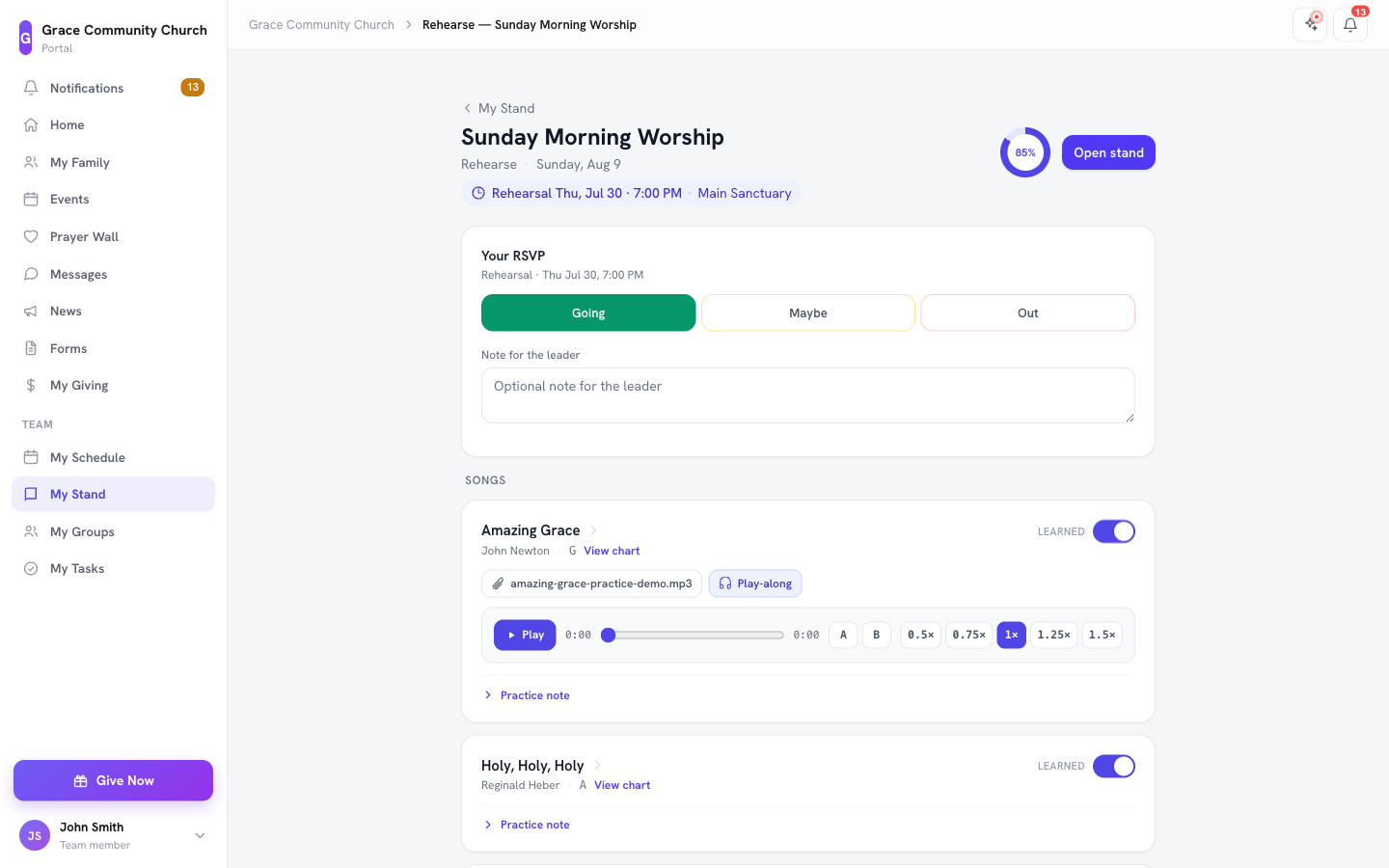
When a song on the set has a reference recording attached (the leader's demo, the original track, or a voice memo -- set from the song's Attachments tab in the admin, see Song Library), a Play-along button appears next to that song's listen links on the Rehearse page. Tap it to reveal an inline player, right on the song card:
- Play / pause and a seek bar with elapsed and total time.
- A–B loop -- Tap A at the point you want to start looping and B where you want it to end, then it repeats that section (the tricky bridge, the tag ending) until you turn it off with the ✕.
- Playback speed -- 0.5×, 0.75×, 1×, 1.25×, or 1.5×, so you can slow a fast section down to learn it or speed it up once you have it.
Only one card's player runs at a time -- starting another song's player pauses the one you were on. This is a personal practice tool: it never autoplays, and it does not affect what anyone else sees or hears.
Leader Readiness Roll-Up (for worship leaders)
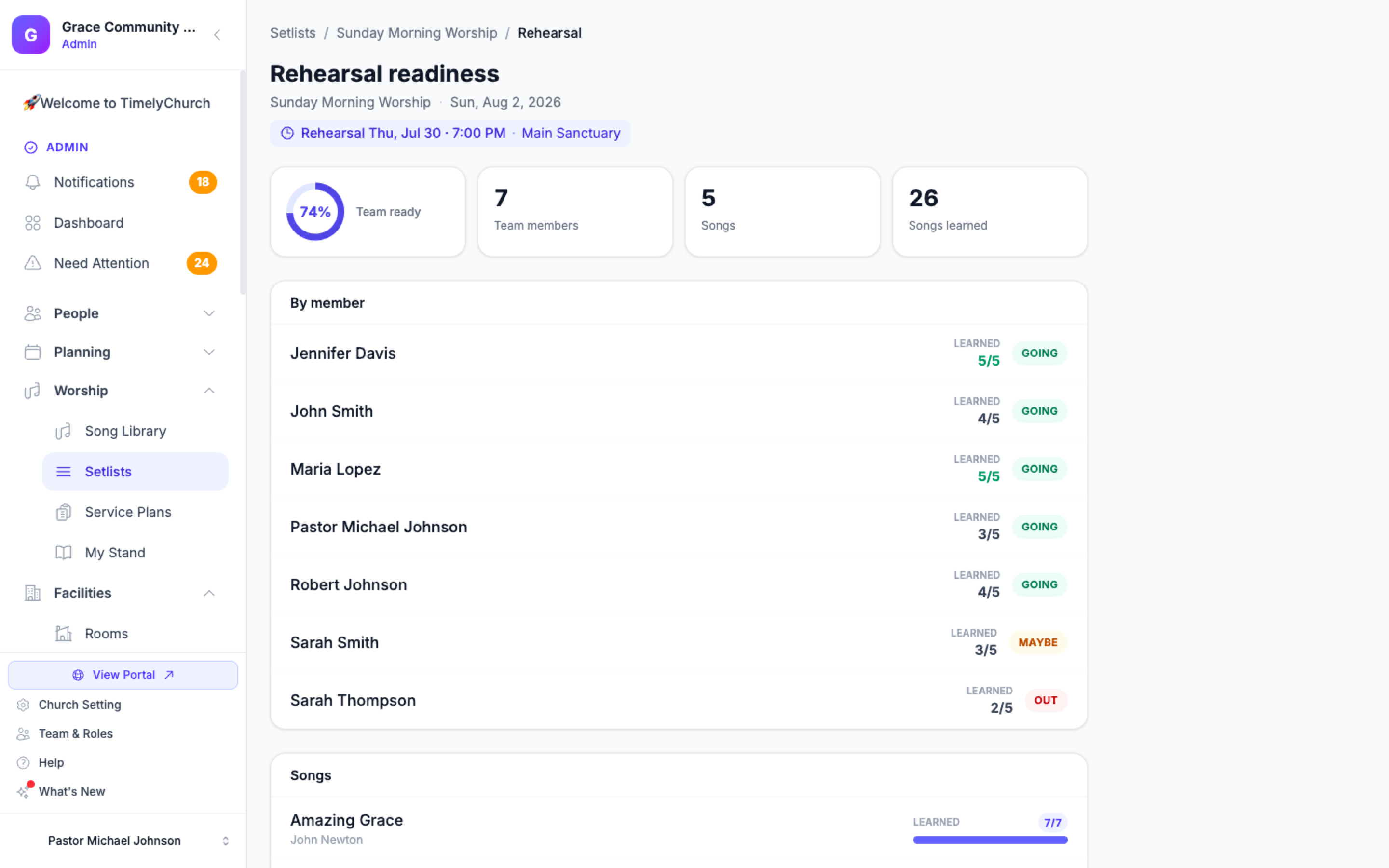
Click Rehearsal readiness in the setlist builder to see the whole picture. The top shows Team ready (%), Team members, Songs, and Songs learned, then:
- By song -- How many members have learned each song.
- By member -- Each person's name, a Leader or Co-leader marker where it applies, how many songs they have learned (learned x/y), and their rehearsal RSVP (Going, Maybe, Not Going, or No reply).
- Team is green -- An at-a-glance signal that the team is ready.
- RSVP roster -- Everyone's answers, with any note they left for you.
- Nudge -- A one-tap reminder next to anyone who hasn't finished learning the set or hasn't RSVP'd. See Your Worship Team on a Setlist for exactly how the roster, markers, and Nudge work.
Private practice notes are never exposed here -- the leader sees readiness and RSVPs, not each musician's personal notes.
Rehearsals: Dates, Places, and Reminders
A standalone setlist isn't limited to one rehearsal. Click Add rehearsal on the builder to add as many as your team needs -- a Thursday sectional and a Saturday run-through, say -- and each one gets its own row: its own date and time, its own place, and its own reminder toggle.
- As many rows as you need. Add a rehearsal, fill in a date/time and a place (for example, "Thursday 7pm -- Main Auditorium"), and repeat for every rehearsal the team is holding for this set. Remove a row with its trash icon if plans change.
- A date is optional. You can add a rehearsal before the time is settled -- the row saves with just a place, or with neither, and you fill in the date once a room is booked. On the setlist, dated rehearsals list in time order; undated ones sort to the end so they're never lost, just waiting.
- Reminders are per rehearsal. Turn on Remind the team the day before on a rehearsal and the worship team gets a reminder the evening before that rehearsal, with a link to the set and each person's own readiness ("You've learned 2 of 4"). A team with two rehearsals this week gets two separate reminders, each naming its own date and place -- turning one on, or off, never touches the other.
- RSVPs are per rehearsal too. On the Rehearse page, a team member answers Going / Maybe / Not Going separately for each rehearsal on the set, not once for the whole setlist. If a rehearsal is added after someone has already RSVP'd to the others, their new row starts with no answer -- nobody has actually said whether they're coming to it yet, so nothing is assumed on their behalf.
No notification spam. Each rehearsal's reminder goes out at most once -- you will never get a stack of duplicate pings for the same rehearsal.
The Readiness Loop
Put together, the loop looks like this:
- Build the set, add the rehearsal(s) your team needs, and turn reminders on for each one.
- Team members get reminded, open Rehearse, listen, and mark songs learned as they practice.
- The leader watches the team-readiness % climb and follows up with anyone who is behind.
- Everyone arrives on Sunday genuinely prepared.
Tips
- Set rehearsal dates early. The sooner reminders start, the more time your team has to learn their parts.
- Encourage honest "learned" marks. Readiness is only useful if it reflects reality -- remind the team it is a planning tool, not a grade.
- Use practice notes. They are private, so musicians can be candid about what they still need to work on.
Related Articles
- Building Setlists
- Share a Service Plan with Your Band
- Practice Tools: Metronome, Autoscroll & Foot Pedals
- Personal Marks and Sharing Them with Your Team
- Your Worship Team on a Setlist
- Song Library
Last updated: September 30, 2026