
Reporting Content and Blocking Members
Your church's Member Portal is meant to be a safe, kind place. If a message, a comment or a prayer request crosses a line, you can report it to your church leaders. And if someone keeps messaging you when you'd rather they didn't, you can block them.
What You Can Report
You can report something another member posted in:
- Messages -- a message someone sent you, in a one-to-one or group conversation.
- Announcement comments -- a comment someone left on an announcement.
- The Prayer Wall -- someone else's prayer request.
You cannot report your own messages, comments or prayer requests, so the option only appears on other people's.
How to Report Something
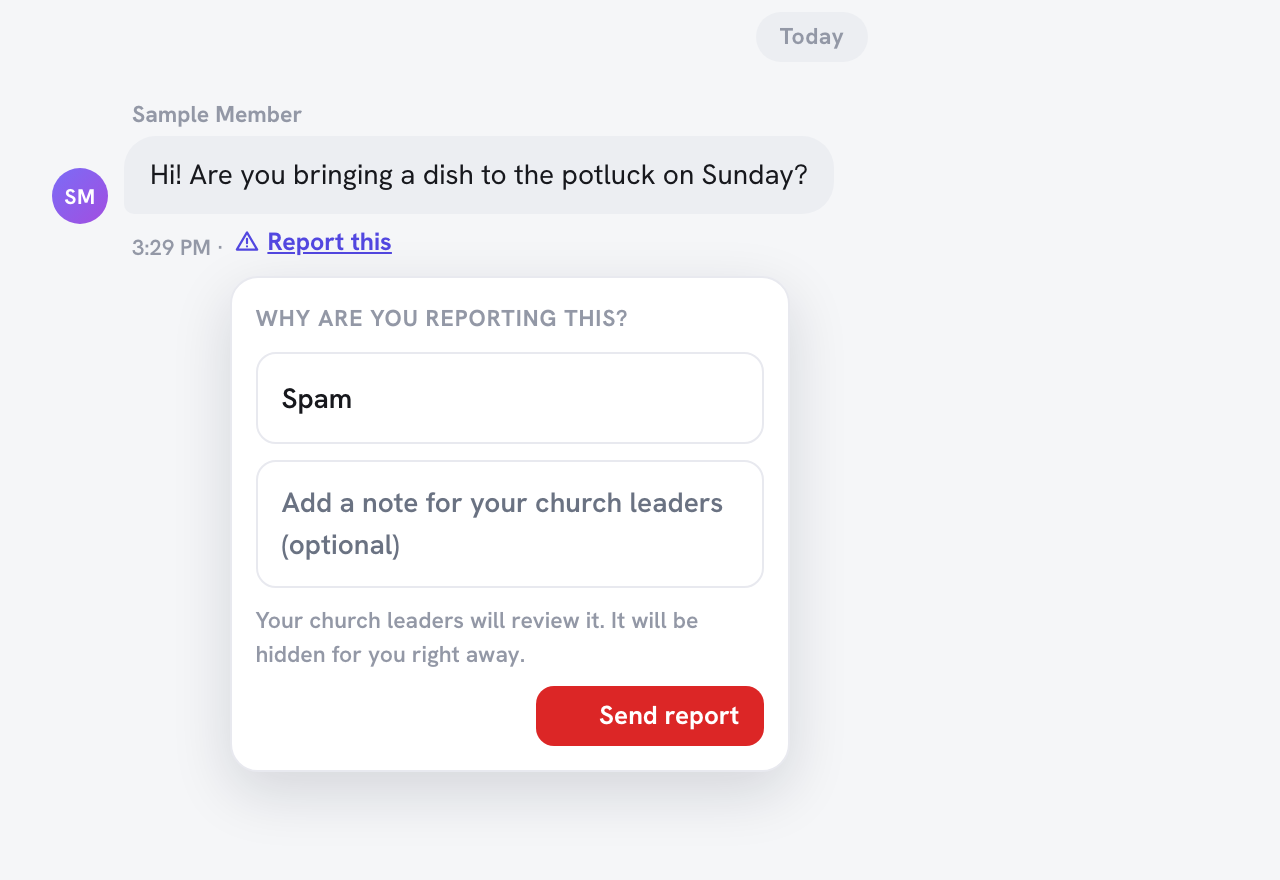
- Find the message, comment or prayer request and click Report this.
- On a message, it sits next to the time the message was sent.
- On an announcement comment or a prayer request, it's next to the comment or the prayer count.
- Under Why are you reporting this?, choose a reason: Spam, Harassment or bullying, Inappropriate content or Something else.
- If you like, add a short note in Add a note for your church leaders (optional).
- Click Send report.
You'll see: "Thank you. Your report was sent to your church leaders, and this content is now hidden for you."
What happens next
- It disappears for you straight away. The item stays hidden from your view, whatever your leaders decide.
- Your church administrators are notified and review it. They either keep the content or remove it for everyone.
- You can report an item only once. Reporting it again doesn't send a second notice.
- You aren't sent a message about the outcome. If you're worried about something, you can always talk to your church leaders directly.
In danger or worried about someone's safety? A report goes to your church leaders, not to emergency services. If someone is in immediate danger, contact local emergency services.
Blocking a Member
Blocking works in Messages. When you block someone:
- They can no longer message you, and you can't message them.
- Your conversations with them are hidden from your inbox.
- They aren't told that you blocked them. They simply can't reach you through Messages.
To block someone
- Open a one-to-one conversation with them in Messages.
- Click Block (the × button at the top of the conversation).
- Confirm: "Block this member? They will no longer be able to message you, and this conversation will be hidden."
You'll see a confirmation that they're blocked. Blocking only affects Messages. It doesn't change anything else in the portal, and your church leaders aren't notified. If you also want your leaders to know about something they sent, report the message first, then block them.
To unblock someone
- Go to Messages and click Blocked members (below your list of conversations).
- Find the person and click Unblock.
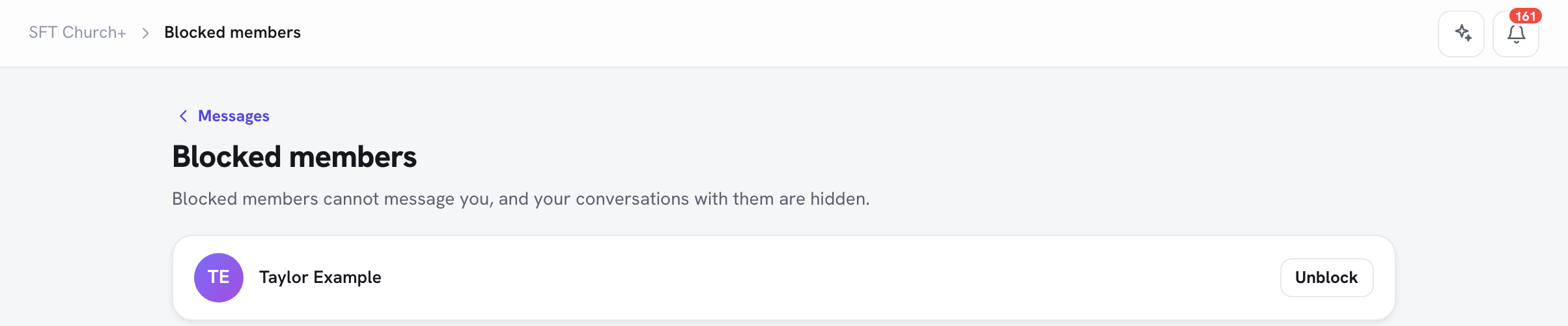
The page says "Blocked members cannot message you, and your conversations with them are hidden." Once you unblock someone, you can message each other again and your earlier conversations come back to your inbox.
Frequently Asked Questions
Q: Will the person know I reported them? A: No, the person isn't notified by TimelyChurch. Your church administrators can see who sent a report so they can follow up.
Q: I reported something by mistake. Can I undo it? A: Not from the portal. The item stays hidden for you. Let your church leaders know. They can dismiss the report and keep the content.
Q: Someone in a group conversation is bothering me. Can I block them? A: The Block button appears in one-to-one conversations. Open (or start) a one-to-one conversation with that person to block them, and report any message that crosses a line.
Related Articles
- Messages
- Prayer Wall
- Reviewing Reported Content -- for church administrators