
Year-End Close
Overview
Close Fiscal Year locks transactions dated in a completed calendar year. Once closed:
- Transactions dated in that year cannot be created, edited, or deleted, including journal entries, refunds, and bank-import rows.
- The year stays closed for good. Closing a year cannot be undone: there is no way to reopen it.
- Prior fiscal years are locked as well.
Closing does not post manual closing entries or zero out account balances. Reports calculate annual equity automatically: the Balance Sheet presents past accumulated net income under Retained Earnings (prior years) and current-year results under Unrestricted Net Income (YTD) (see Financial Reports).
Closing the books is not required to keep operating (TimelyChurch tracks transactions across years either way), but it is a best practice for any church with a finance committee, an annual audit, or board-approved financial statements, because it keeps last year's approved numbers from changing.
Calendar years only: Year-End Close always works on January 1 -- December 31.
When to Close the Year
Most churches close their books after completing final bank reconciliations and posting year-end adjustments. This usually takes place in late January or February once December bank statements have cleared.
Because closed years cannot be reopened, don't close until every late entry, audit adjustment, and correction for that year is in.
Where to Find It
Go to Finances > Accounting, open the Setup ▾ menu in the tab bar (More ▾ in Simple Checkbook), and select Close Fiscal Year. The page opens to Year-End Close ("Review and close the fiscal year to lock transactions.").
Use the year dropdown at the top to pick the year. It lists past years only (from the year of your first transaction up to last year) and opens on last year. A year that has not ended on your church's calendar cannot be closed: Close Fiscal Year remains inactive, and any other attempt returns: "Cannot close year: YYYY has not ended yet." (8.205.307) If the selected year is already closed, the interface displays: "Fiscal year YYYY is already closed. All transactions for this year are locked."
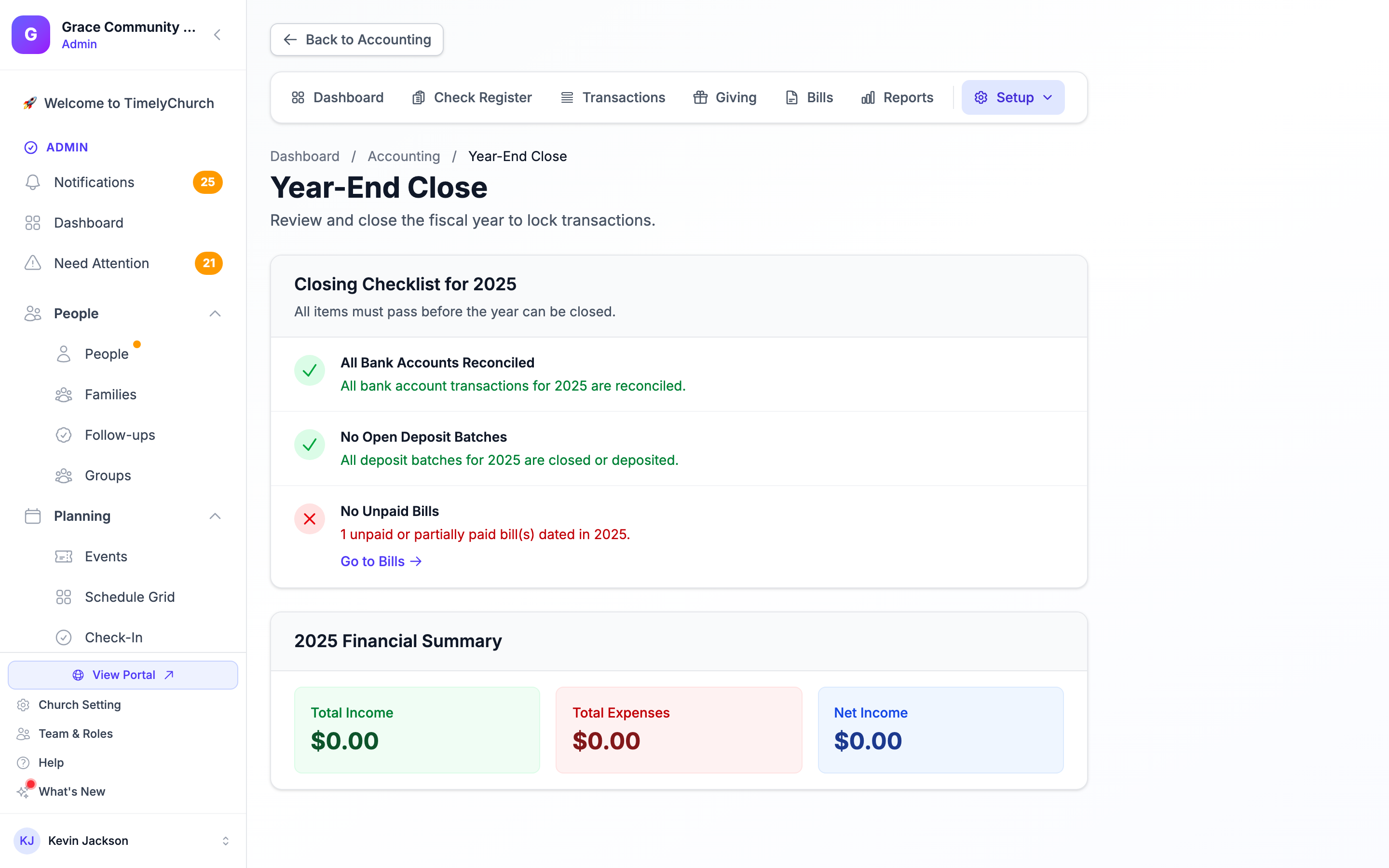
Closing Checklist
The Closing Checklist for YYYY shows three checks. "All items must pass before the year can be closed." Each failing item links you to the page where you fix it.
- All Bank Accounts Reconciled: every transaction dated in that calendar year on active asset accounts (checking, savings, cash, and any other asset account) must be reconciled. If not, the page lists each account with its number of unreconciled transactions and a Go to Bank Reconciliation link.
- No Open Deposit Batches: no deposit batch dated in the year may still be Open. Closed and Deposited batches pass this check, but mark every Closed batch deposited before you close the year: once the year is closed, a batch whose gifts are dated in it can no longer be marked deposited. Link: Go to Deposit Batches.
- No Unpaid Bills: no bill dated in the year (by its bill date) may be Unpaid or Partially Paid. Pay the bill or delete it if entered in error. Link: Go to Bills.
Pending rows in the bank import queue do not block year-end closing; however, once the year is closed, a row dated in that year can no longer be accepted.
Below the checklist, the YYYY Financial Summary lists Total Income, Total Expenses, and Net Income for the year.
Closing the Year
When all checklist items pass:
- Click Close Fiscal Year YYYY.
- Review the confirmation dialog: "This will lock all YYYY transactions." and "This action cannot be undone."
- Confirm with Close Fiscal Year YYYY.
The system confirms: "Fiscal year YYYY has been closed successfully. All YYYY transactions are now locked."
Closing requires the Close permission on the Accounting row of your role (included in Full Access).
Treasurer Workflow
Recommended year-end closing steps:
- December 31: stop entering new transactions for the closing year. Continue normally for the new year.
- Early January: wait for the December bank statement; reconcile December.
- Mid-January: record any final adjusting entries that belong in the closing year, pay or clean up the year's bills, and finish any open deposit batch.
- Late January: run preliminary reports (Balance Sheet, Income Statement, Treasurer's Report) for the closing year. Share with the finance committee.
- After committee review (and any audit): make any final corrections, then close the year.
- Post-close: generate final reports for the closed year. Distribute to the board, file with annual records, and (if applicable) hand to the auditor.
Best Practices
Don't close until the audit is final. If your church is audited, finish the audit's adjusting entries before closing. A closed year cannot be reopened.
Print or PDF the final reports right after closing. The Balance Sheet, Income Statement, and Treasurer's Report for the closed year are the church's official annual financials. Save them to your records, not just to the system.
Coordinate with payroll and 1099s. Year-end filings (W-2s, 1099s) have their own deadlines. Make sure your 1099 vendor data is accurate before closing: payments in a closed year can no longer be corrected.