
Public Sermon Pages
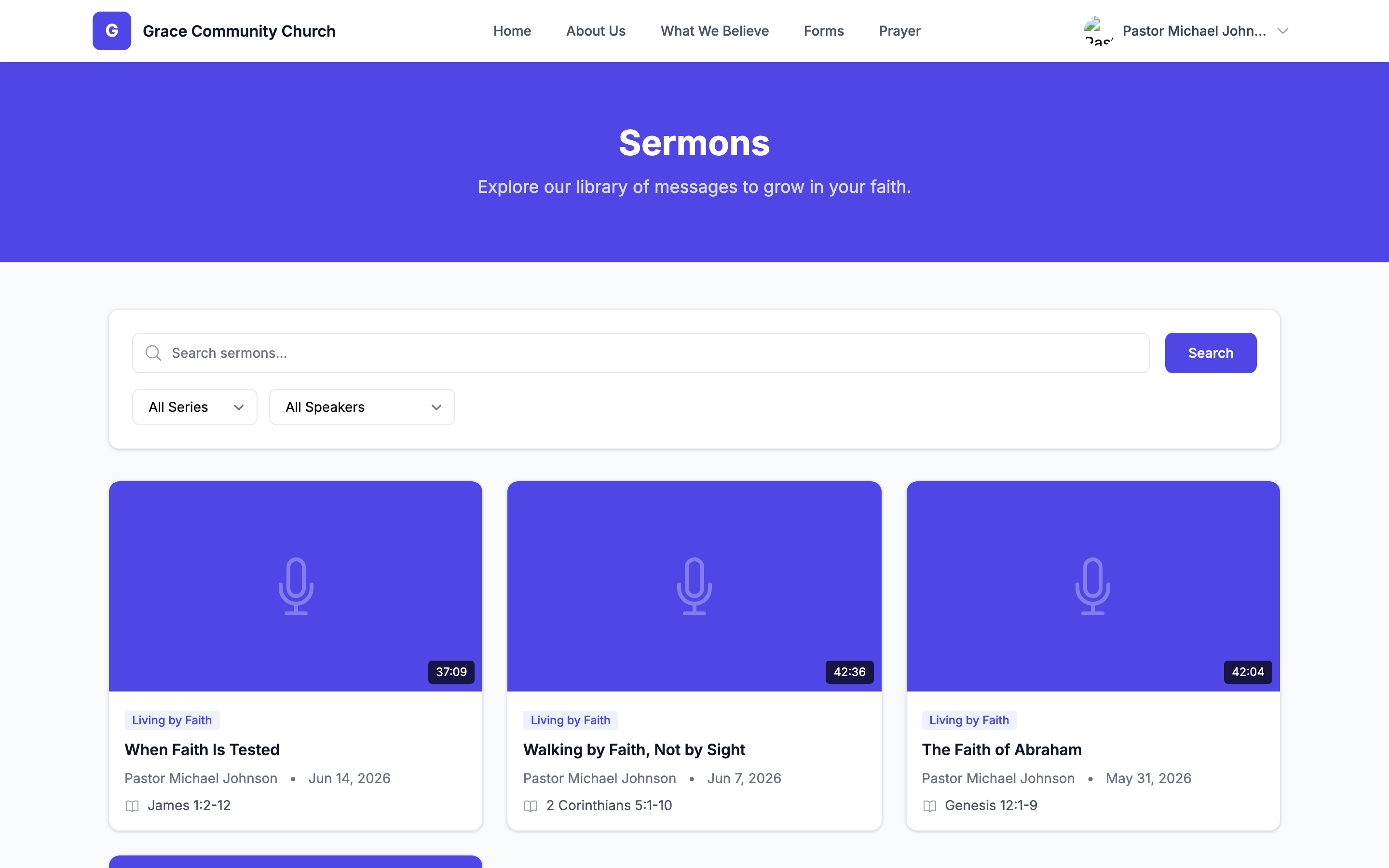
Every published sermon in TimelyChurch is automatically available on a public-facing portion of your church website. These pages are designed for visitors, members, and search engines -- no login is required, and the look-and-feel inherits your church's website theme. This article covers the four public sermon pages, what visitors see on each, and how the audio player and analytics work.
All of the pages below live on your church's public web address (or on your custom domain, if you have connected one). See Your Church Web Address.
Page Map
| Page | Purpose |
|---|---|
| Sermon archive (index) | Searchable list of all published sermons. |
| Single-sermon detail page | Detail page for one sermon with the media player. |
| Series page | All sermons in a named series. |
| Speaker page | All sermons by one speaker. |
| Audio download | Downloads the original audio file. |
| Podcast feed | Podcast RSS feed (see Podcast Feed). |
Only published sermons are surfaced on any of these pages; drafts are not shown.
Sermon Index
The index is a paginated grid of published sermons (12 per page, newest first). Visitors can:
- Search by title, description, transcript, scripture reference, or topic.
- Filter by series -- only series with at least one published sermon appear in the dropdown.
- Filter by speaker -- only active speakers with at least one published sermon appear.
- Filter by topic -- pulls the unique set of all topic tags across published sermons.
Each card shows the thumbnail (auto-pulled from YouTube if no custom thumbnail is uploaded), title, speaker, series, sermon date, and scripture reference. Clicking a card opens the sermon-detail page.
Theme, navigation, and website settings come from your Website settings so the layout matches the rest of your public site.
Sermon Detail
Each sermon has its own page, reachable from a clean, readable web address based on the sermon title. Each detail page contains:
- Hero section -- Title, sermon date, scripture reference, speaker name + photo, and series link.
- Video player -- If a YouTube or Vimeo link is set, an embedded player appears.
- Audio player -- If an audio file is uploaded, an audio player appears alongside a "Download" button.
- Description -- Rich-text description.
- Transcript -- Optional rich-text transcript with collapsible reveal.
- Attachments -- Any uploaded study guides, PDFs, or supplementary files with download links.
- Series navigation -- "Previous in series" and "Next in series" links if the sermon is part of one (ordered by sermon date).
- Related sermons -- Up to four related sermons (same series, same speaker, or shared topics).
Opening this page counts one view per visitor visit; automated visitors such as search-engine crawlers are not counted.
Audio Listen Tracking
When a visitor presses Play on the audio player, the listen count is automatically increased. A viewer who scrubs back and forth does not artificially inflate the count.
Audio Download
The "Download" button on the audio player downloads the audio file. TimelyChurch:
- Checks that the sermon is published and has an audio file.
- Delivers the file as a download.
- Names the downloaded file after the sermon title (e.g. "the-good-shepherd.mp3").
If a sermon is unpublished or the audio file has been removed, the file is no longer available.
Series Page
Each active series gets a dedicated page. The page shows:
- The series cover image (or a default placeholder).
- Title and description.
- Start and end dates (if set).
- A paginated grid of every published sermon in the series, newest first (12 per page).
Inactive series show "not found", so they do not surface in search engines.
Speaker Page
Documented in Sermon Speakers. Visitors can browse every published sermon by a single speaker. The speaker's photo, bio, and title appear at the top of the page, followed by a paginated list of their sermons. Inactive speakers are not shown.
SEO and Metadata
For each public sermon page, TimelyChurch applies your church's website theme, navigation, and website settings. Customizing the public-facing appearance is done in Website (Website Studio) -- not in the sermon module itself. See SEO Settings.
Sermon detail pages also generate Open Graph metadata (title, description, image) using the sermon's title, description, and thumbnail so links shared on Facebook, LinkedIn, or Slack render with a preview card.
Related Articles
Last updated: September 30, 2026