
Swapping When You Can't Serve
Life happens -- a conflict comes up on a Sunday you are scheduled to play. TimelyChurch gives your worship team two ways to handle it without leaving a hole in the set: swap with a specific teammate from the Member Portal, or, if your church uses the Telegram bot, broadcast an open request to the whole team.
This article covers swapping from a worship team member's point of view. The underlying serving-swap feature works the same way for every serving team at your church (ushers, tech, hospitality, and more) -- for the complete mechanics, see Swap and Trade Requests.
Swap vs. Decline
| You want to... | Use |
|---|---|
| Trade your slot for a specific teammate's slot on a different date | Propose a swap |
| Just get covered by anyone who's free -- and you're on Telegram | Broadcast a swap request |
| Drop the slot entirely, no trade | Decline the assignment |
A swap is a true trade: both of you stay on the schedule, you just exchange dates. Declining removes you from that slot with no guarantee it gets covered.
Proposing a Swap (Member Portal)
- Open My Schedule (in the Team section of the Member Portal) and find the assignment you cannot make.
- Click Propose swap.
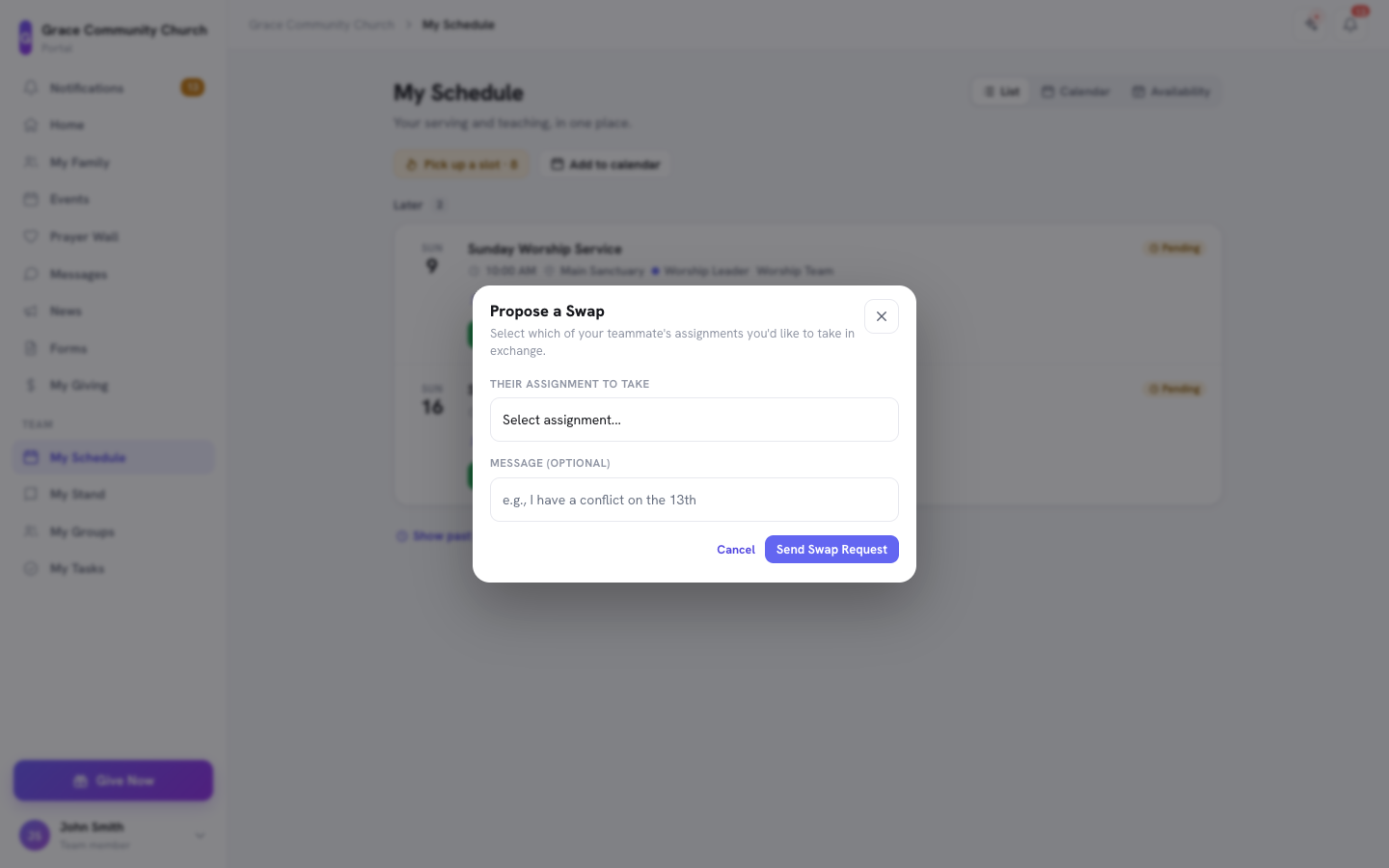
- In Propose a Swap, pick the teammate's assignment you would like to take in exchange under Their assignment to take -- the picker shows other worship-team members' upcoming assignments.
- Optionally add a Message (optional), then click Send Swap Request.
Your original assignment stays active until they respond -- proposing a swap does not drop you from the schedule. If they accept, your two assignments trade: you take their date, they take yours, and both reset to a fresh Pending status so each of you reconfirms the new date. If they decline, nothing changes and you are still on your original date.
Requests you have sent are listed under Your Pending Swap Requests on the same page; click Cancel Request at any time before it's answered. Requests sent to you appear under Swap Requests, with Accept Swap and Decline.
Broadcasting to the Whole Team (Telegram)
If you have connected your Telegram account, you can ask your whole team at once instead of naming one person:
- Message the bot with
/swaps. - Pick the assignment you need covered and tap 📣 Ask team to cover.
- Every eligible teammate gets a DM with an ✋ I can take it button.
- First tap wins. Whoever taps first is assigned your slot; every other teammate's message updates to "Already covered ✅" so nobody double-claims it.
This is the fastest way to get covered when you don't have a specific person in mind -- and it saves you from texting five people individually. See Telegram — Messages and Two-Tap Actions for how to connect your account.
What Your Leader Sees
Whichever way a swap is requested, your team's leadership is kept in the loop -- your worship leader is notified when a swap involving their team is requested and again once it's resolved, so a covered slot never comes as a surprise on Sunday morning.
Related Articles
- Swap and Trade Requests -- the full mechanics, statuses, and what admins see.
- Your Worship Team on a Setlist
- My Stand — The Big Picture
- Go Live on Sunday
Last updated: September 30, 2026