
Analyze a Song's Key, BPM & Time Signature
Typing in a song's tempo and key by ear is easy to get wrong, especially for a fast worship anthem or a song in an unusual meter. TimelyChurch can listen to an uploaded recording and detect its BPM, key, and time signature for you -- then let you apply any of them to the song with one tap. This is a Pro plan feature.
Where to Find It
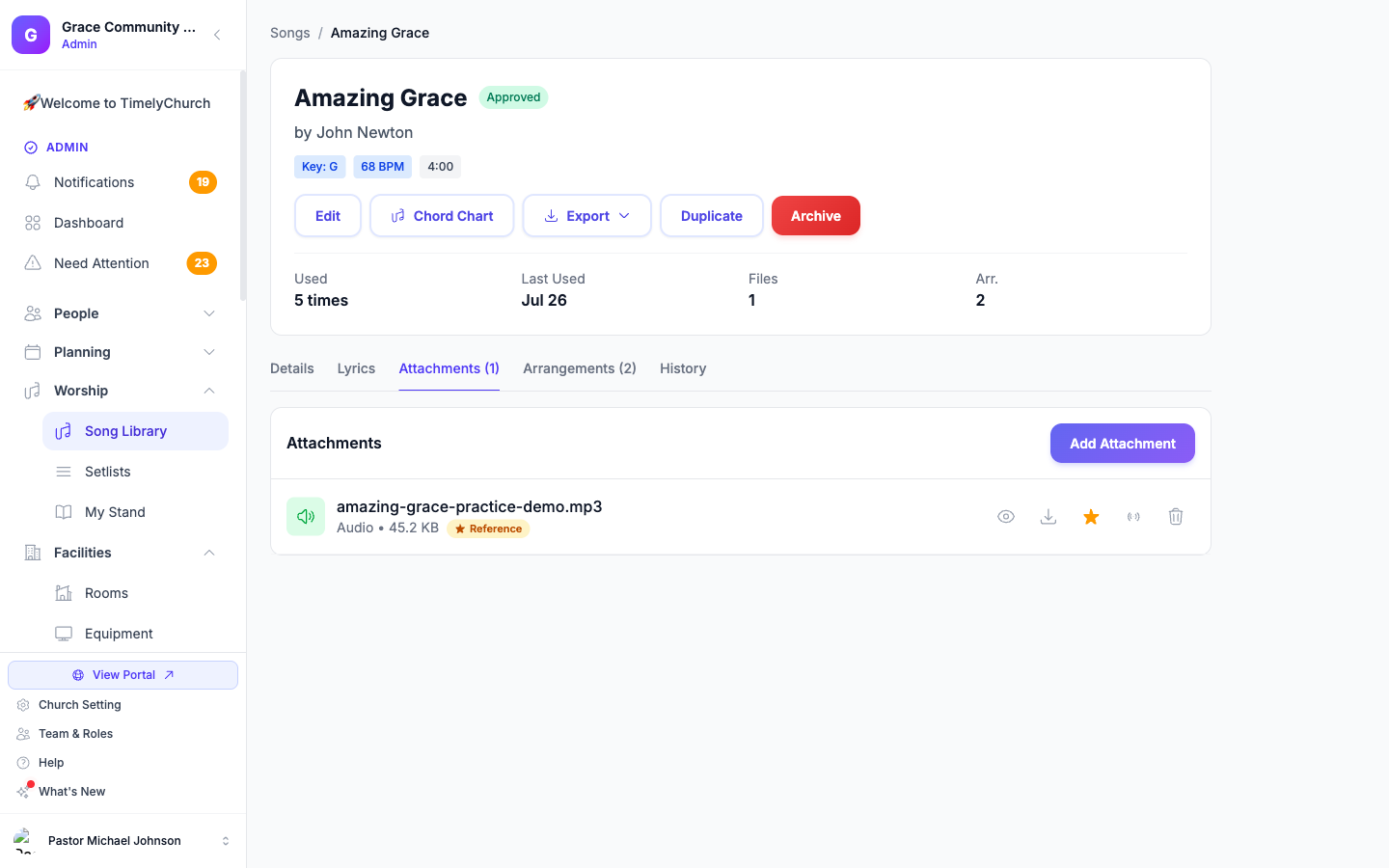
- Open a song in the Song Library and go to its Attachments tab.
- Upload an audio recording, or find one you already have.
- An Analyze button appears next to the recording.
Right after you upload a new recording, a small prompt also offers "Just uploaded — detect BPM, key & time signature?" with Analyze now, so you don't have to go looking for the button.
Running an Analysis
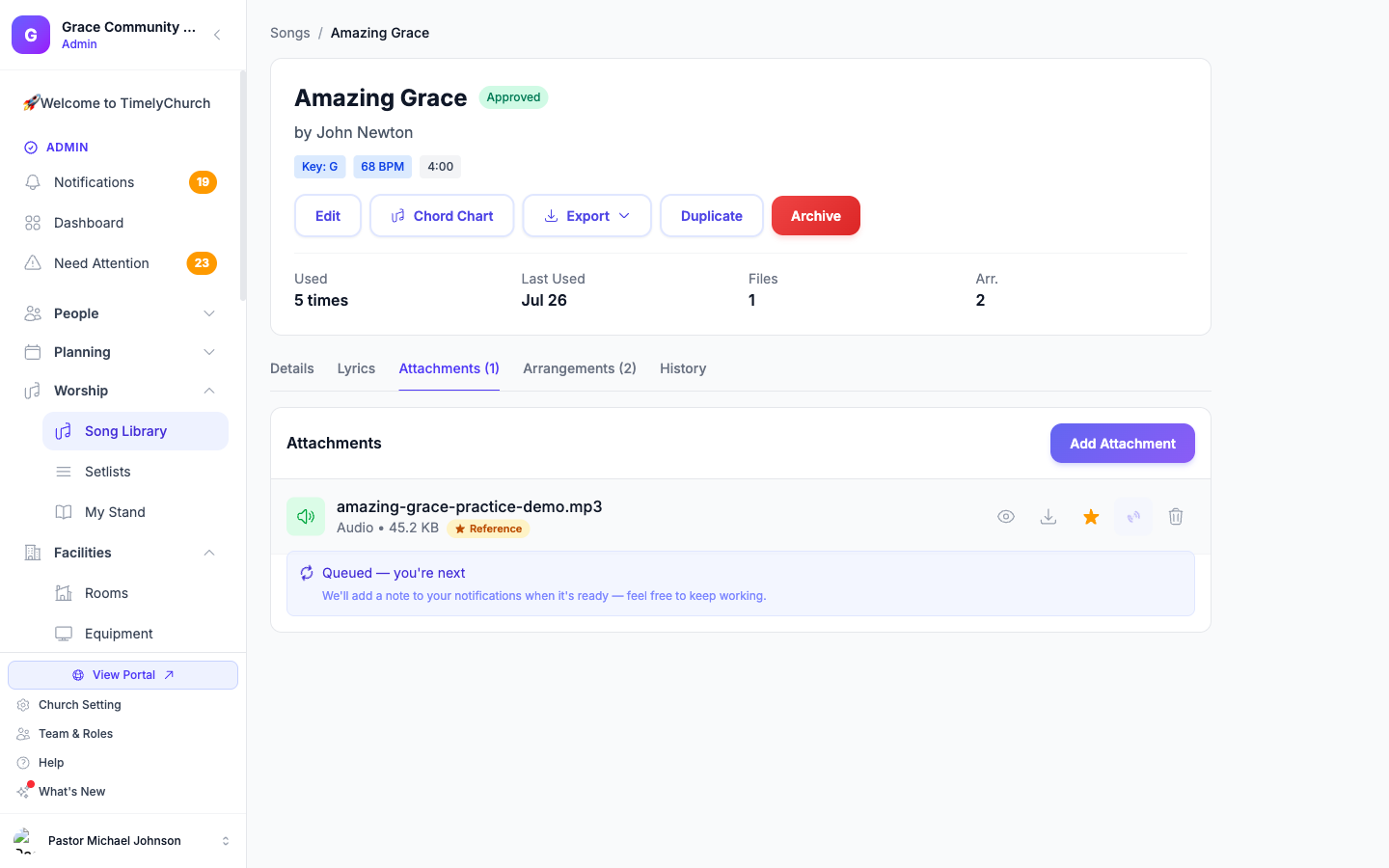
Tap Analyze and the recording is queued for detection:
- Queued -- shows your position in line if other recordings are waiting ("2 ahead of you," or "Queued — you're next").
- Analyzing… -- usually finishes in under a minute. You can keep working: a note arrives in your notifications when it's ready.
- Detected -- a suggestion card appears with the detected BPM, key, and time signature, each with its own Apply button (Apply BPM, Apply Key, Apply Time Signature).
- Failed -- a friendly "Couldn't analyze this file." message with Try Again. A failed analysis never counts against your monthly quota (see below), so trying again is free.
Applying a Suggestion
Nothing is changed automatically. Each detected value -- BPM, key, time signature -- has its own Apply button, so you decide exactly what to accept. Applying BPM or key updates the song (or arrangement) immediately and is reflected everywhere that value is used: the chord chart editor, setlists, and My Stand.
Fast Songs: the Half/Double-Time Check
Fast, driving songs are often detected at exactly double (or half) their "felt" tempo -- a ballad might come back as 146 BPM when a worship leader would call it 73. When this is likely, the suggestion leads with the more natural reading and offers the alternative right alongside it (for example, "73 -- or 146?"), so you are not stuck with a number that feels wrong when you count it out loud.
Time Signature Confidence
Time signature is the hardest of the three to detect reliably, so a low-confidence result is always labeled as such right on the suggestion (for example, "4/4 (low confidence)") rather than presented as a certainty. Meter detection analyzes roughly the first minute of the recording.
Monthly Quota and Rate Limit
Recordings are processed in the background, and each church has a monthly quota of analyses and an hourly rate limit to keep things fair. A few things to know:
- Failed analyses do not count against your quota -- only completed, real attempts do, so a technical hiccup never eats into your allowance.
- If your church's monthly quota is used up, you will see a clear message telling you it resets next month.
- If you hit the hourly limit, you'll be asked to wait a few minutes before requesting another analysis.
What Won't Be Analyzed
Audio that runs far longer than a typical song or arrangement recording (sermon-length audio, for example) is refused up front with a friendly message, rather than queued and left to fail later.
Related Articles
Last updated: September 30, 2026