
Go Live on Sunday: Leading a Live Service
"Going live" is the feature new worship leaders ask about most, and also the most misunderstood -- it does not stream video, and it does not control anyone's music. This article explains exactly what Go Live does, who can start it, and how to lead a service (or a rehearsal) with it.
What "Live" Actually Means
When a leader taps Lead live on a setlist in My Stand, TimelyChurch broadcasts one thing to every stand following the set: which song the leader is currently on. That's it. Everyone in My Stand who is following automatically turns to the same song as the leader moves through the set -- like a shared, leader-controlled page turn.
What Go Live does not do:
- It does not change anyone's key, capo, or notation. Every musician keeps their own personal settings the whole time -- Go Live only moves which song is on screen, never how it's shown.
- It is not a stream or a recording. Nothing about the music or video goes anywhere; it is purely a position signal between stands in the room (or across campuses).
- It does not lock anyone in. A follower can drop out at any moment to browse the set on their own, and rejoin whenever they want.
Think of it as everyone's stand turning the page at the same moment the leader does, without anyone needing to say "next song, please."
Who Can Start Go Live
Only one of these people can tap Lead live for a given setlist:
- A church or worship admin.
- The setlist's creator.
- A leader or co-leader of the worship team the setlist is assigned to (see Your Worship Team on a Setlist).
A regular team member does not see the Lead live button at all -- this is deliberate, so only one person is ever meant to be driving a given service.
Starting a Live Session
- Open the set in My Stand (from the portal, or with Open in My Stand in the setlist builder) and tap Lead live.
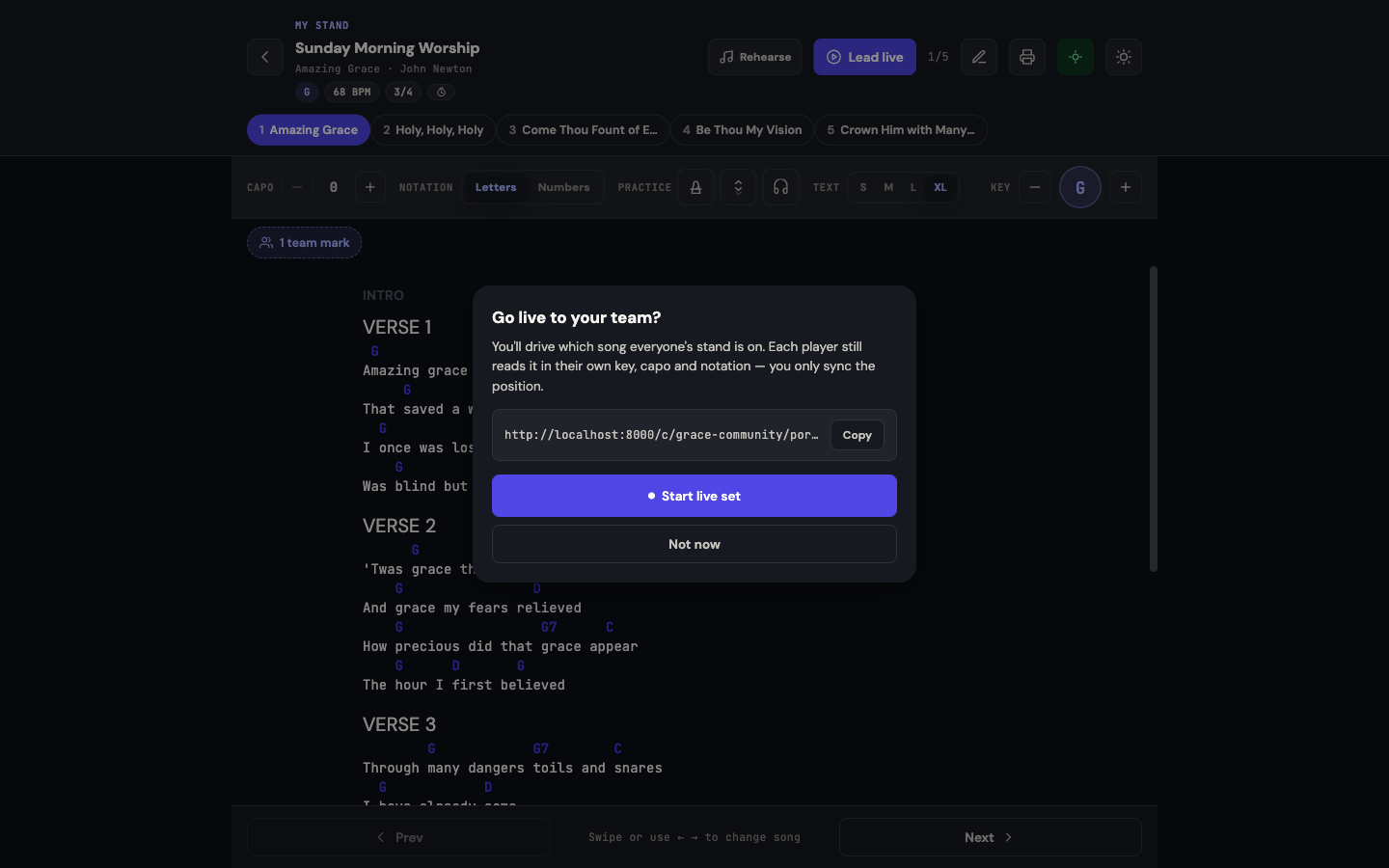
- A confirmation sheet asks Go live to your team? Tap Start live set (or Not now to back out). Live starts at the first song in the set by default.
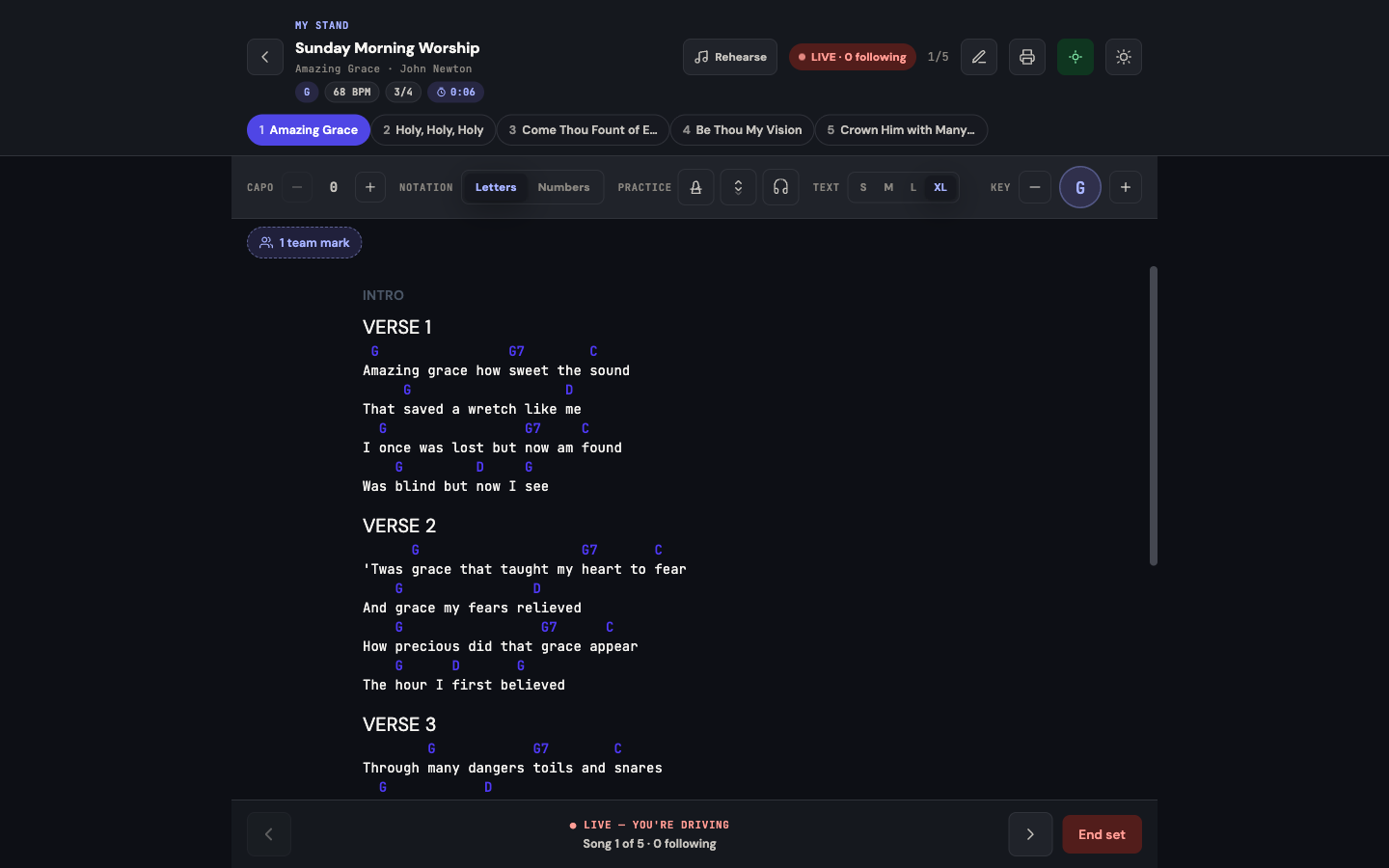
- Your own stand now shows a LIVE · N following badge, where N is how many other stands are currently following you.
What Everyone Else Sees
Anyone with the set open in My Stand sees one of three states:
- Following and your name -- their stand is turning pages in sync with you.
- Live · on your own -- they intentionally stepped away from following (they can tap back in at any time).
- If they are the leader, their own badge reads LIVE · N following.
Moving Through the Set
As the leader, use the song jump strip at the top of the reader to move to the next song, the previous one, or jump straight to any song in the set -- every follower's stand updates within moments. There is nothing to announce out loud; the room just turns together.
Ending a Live Session
- You (the leader) can end your own session at any time.
- An admin or a team leader/co-leader can also end someone else's live session -- this is recovery, not overreach: if someone accidentally starts a live session mid-rehearsal, a leader does not have to wait it out.
- Moving the position, on the other hand, is always restricted to whoever is currently driving -- ending a session is recovery, moving it is leading.
Only One Leader at a Time
TimelyChurch will not let two people drive the same setlist simultaneously. If someone else is already live and genuinely active, a second Lead live attempt is refused with "Someone is already leading this set live." The one exception is a stale session -- if the current leader's device has gone quiet (their phone died, they closed the app) for a short while, another authorized leader can take over cleanly. This is the built-in safety net for the one scenario every worship leader worries about: what happens if my phone dies right before the sermon.
When to Use It
- Sunday service -- keep a full band (and the projection booth, if they follow along) turning pages together without a single spoken cue.
- Rehearsal -- practice running the set exactly the way it will flow live, including transitions.
- Multi-room or multi-campus -- if more than one room is drawing from the same setlist, everyone stays in sync with the platform leader.
Go Live is optional. A team is free to just read the set at their own pace with nobody leading live -- it exists for the moments where staying together matters most.
Related Articles
- My Stand — The Big Picture
- Your Worship Team on a Setlist
- Building Setlists
- Share a Service Plan with Your Band
- Practice Tools: Metronome, Autoscroll & Foot Pedals
Last updated: September 30, 2026