
Worship & Songs Overview
TimelyChurch provides a comprehensive set of worship planning tools designed to help your team prepare for services with confidence. This article gives you a high-level tour of every worship-related feature available in your admin dashboard.
What Is Included
The Worship & Songs module is made up of several interconnected tools:
- Song Library -- A searchable catalog of every song your church uses for worship, complete with metadata such as key, tempo, themes, and CCLI numbers, plus quick filters, saved filters, tag pills, and a Reports button. Add songs one at a time, import a spreadsheet, or import Word, PDF and scanned documents. See Song Library.
- Chord Chart Editor -- A two-pane workspace: write on the left, and a live preview on the right shows the chart, Nashville numbers, lyrics, My Stand's own reader and the slides as you type. Section and chord chips insert the notation for you, every edit autosaves as a private draft until you publish, and you can export chord-chart PDFs and congregation slides. See Writing a Chord Chart in the Editor.
- Song Attachments -- Upload chord charts, lead sheets, lyrics documents, audio files, and video files directly to each song.
- Song Arrangements -- Store multiple arrangements per song (for example, "Acoustic", "Full Band", or "Christmas Version"), each with its own key, BPM, sequence, and chord chart. Every song starts with a default arrangement. See Song Arrangements.
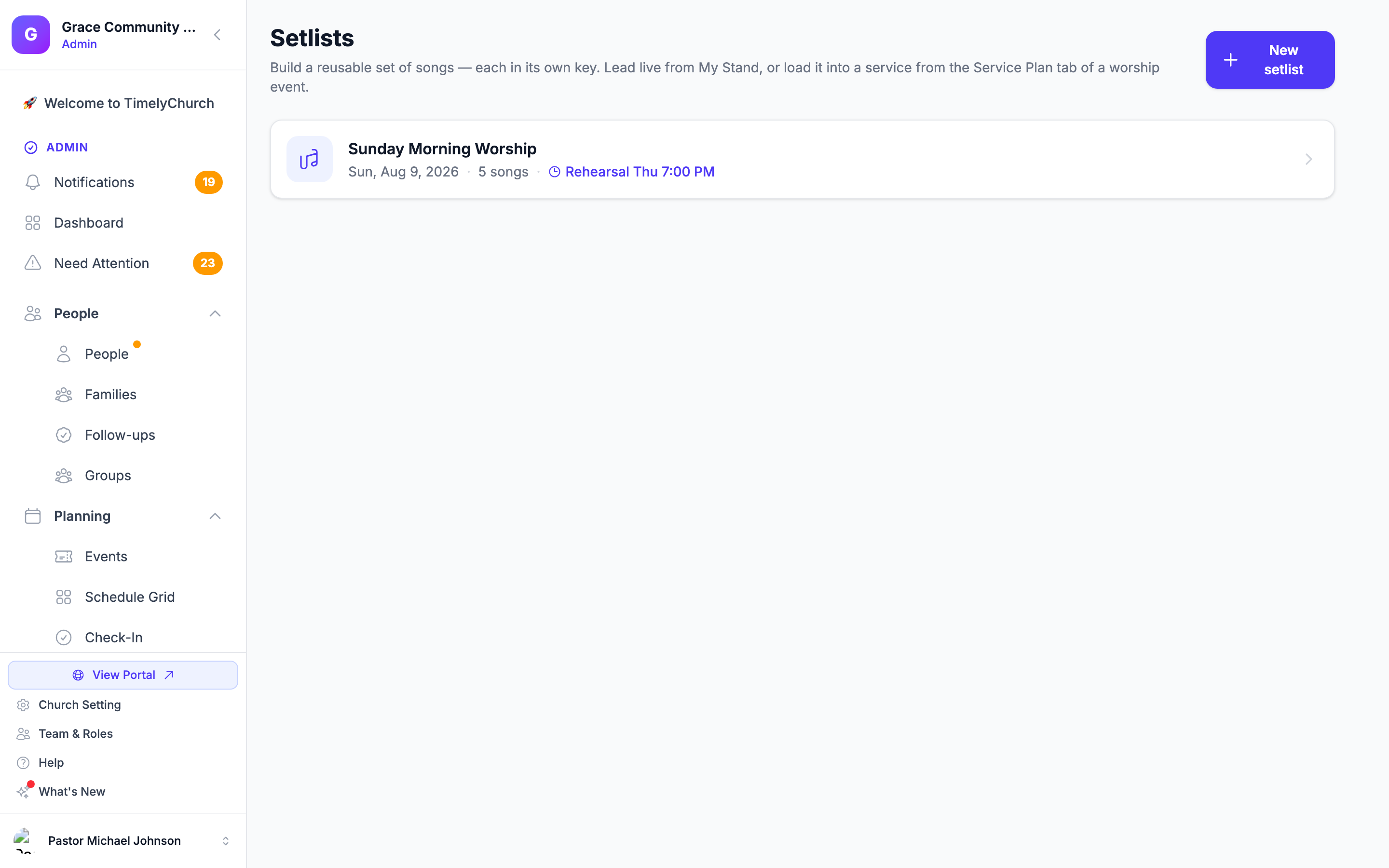
- Setlists -- Build, save, and reuse a list of songs with per-song key, arrangement, and capo. Pick songs from the search box or the Browse library drawer, reorder them, preview each chart, assign a worship team, add rehearsals, and open the set in My Stand. To use a set in a service, load it into the event's service plan. See Building Setlists.
- Your worship team on a setlist -- Assign a setlist to one of your church's worship teams so the right people (and only the right people) see it, with leader/co-leader markers on the roster, a Notify team action, and a one-tap Nudge for anyone who hasn't RSVP'd or finished learning the set. See Your Worship Team on a Setlist.
- Service Plans (Service Orders) -- Build detailed run-of-show plans for worship services, with drag-and-drop ordering, per-item timing, templates, and automatic song usage tracking. Plans live inside each worship event in the Events Hub — open the event's Service Plan tab. Service Plans are part of the Pro plan. See Service Orders (Service Plans).
- My Stand -- The live, zero-upload music stand for your team. Musicians open the shared set on any device, set their own key/capo/text size, follow the leader when they tap Lead live, and use practice tools (metronome, autoscroll, foot-pedal page turns, and a play-along practice-recording player). See My Stand — The Big Picture.
- Go Live -- A worship leader, co-leader, the setlist's creator, or an admin taps Lead live in My Stand to start a live-follow session, so the whole band's stand turns to the same song automatically. See Go Live on Sunday.
- Rehearsal readiness -- Per-member "learned" toggles, a team-readiness %, RSVP, rehearsal reminders, and a play-along recording player keep everyone prepared before Sunday. See Rehearsal Readiness and Reminders.
- Personal marks -- Private highlights and notes on any chart that survive transpose, with an optional opt-in to share your marks with the team. See Personal Marks.
- Sharing a service plan -- The Share button on a service plan gives you a link (with a QR code) that opens a read-only page of the order of service, songs and keys on any device. The page keeps itself up to date when the plan changes. Songs themselves reach your band through setlists and My Stand. See Share a Service Plan with Your Band.
- Swapping a serving slot -- If you're on the schedule and cannot make it, propose a swap with a specific teammate, or (from Telegram) broadcast an open request to your whole team on a first-tap-wins basis. See Swapping When You Can't Serve.
- Song usage & CCLI reports -- Date-range usage counts, per-key breakdowns, and a CCLI summary, each exportable to CSV. See Song Usage and CCLI Reports.
- Audio analysis (Pro plan) -- Upload a practice recording and let TimelyChurch detect its BPM, key, and time signature automatically, with one-tap Apply to the song. See Analyze a Song's Key, BPM & Time Signature.
- Sermon Management -- Add sermons with video, audio, transcripts, and descriptions. Assign speakers and organize sermons into series.
- Sermon Series -- Group related sermons into named series with cover images, date ranges, and descriptions.
- Podcast Feed -- Automatically generate an RSS podcast feed from your published sermons for distribution on Apple Podcasts, Spotify, and Amazon Music. See Podcast Feed.
How to Access
Worship has its own Worship category in the admin sidebar, gathering the whole flow in one place. Expand Worship and you will find:
- Song Library -- Your catalog of songs, arrangements, and chord charts (formerly the "Songs" item).
- Setlists -- Build, save, and reuse a set of songs, then open it in My Stand. The Devices button on this page sets up Stand Link tablets and the Song Sync desktop app.
- My Stand -- The live music stand your musicians use to read charts, follow the leader, and practice. Leaders start a live session here with Lead live.
Service Plans are not in this sidebar. Open a worship event in the Events Hub and use its Service Plan tab.
Sermons is not part of the Worship category: you will find it under Communications in the sidebar (with links to Series, Speakers, and Podcast settings at the top of the Sermons page).
Public Pages
Besides the admin tools, the Worship & Songs module gives your church a few public pages that visitors and team members can open without signing in:
- Sermon archive -- Every published sermon, with filters for series, speaker and topic, plus a page for each sermon with its video or audio player, a page for each series, and a page for each speaker.
- Podcast feed -- The feed address you submit to podcast apps.
- Shared service plans -- The page a Share link opens: the order of service, the songs and their keys, readable on any phone. It checks for plan changes on its own every few seconds, so the band never works from an old version.
For details see Public Sermon Pages, Podcast Feed and Share a Service Plan with Your Band.
Typical Workflow
- Build your Song Library -- Add songs your church sings (one at a time, from a spreadsheet, or from documents), filling in key, tempo, and themes, then write each song's lyrics and chords in the Chord Chart Editor. Upload chord charts and lead sheets, and optionally Analyze an uploaded recording to auto-detect BPM, key, and time signature (Pro plan).
- Create Arrangements -- For songs performed in different styles, add arrangements with their own key, BPM, and chord chart content.
- Build a Setlist -- From Worship → Setlists, assemble the songs for a service with their keys, arrangements, and capo, assign your worship team, add a rehearsal date, and preview each chart. See Building Setlists and Your Worship Team on a Setlist.
- Plan a Service -- From an event in the Events Hub, open its Service Plan tab. Add songs, scripture readings, prayers, announcements, and other items in order -- or use Load setlist to pull your set in at once, or start from a saved template.
- Share with Your Team -- Your team opens the setlist in My Stand to read charts, mark up their parts, and practice -- with Notify team and a per-member Nudge to make sure nobody misses it. For anyone without a login, Share on the service plan gives a link that stays in sync with the plan. See My Stand — The Big Picture.
- Rehearse -- Team members mark songs "learned," RSVP, play along with a practice recording, and add practice notes; the leader watches the team-readiness % climb and can send rehearsal reminders or a Nudge.
- Lead the Live Service -- On Sunday, the leader (or a co-leader) opens the set in My Stand and taps Lead live so every stand in the room turns to the same song automatically. See Go Live on Sunday. If someone can't make it, they propose a swap ahead of time -- see Swapping When You Can't Serve.
- Record the Sermon -- After the service, add the sermon with its video or audio recording, assign it to a speaker and series, and publish it to your website and podcast feed.
Plans and Permissions
Which plan includes what:
| Feature | Plan |
|---|---|
| Sermons, sermon series, speakers, podcast feed | Every plan |
| Song Library, setlists, My Stand, importing songs from documents | Growth and Pro (the Growth plan holds a limited number of songs) |
| Service Plans, audio analysis, Song Sync | Pro |
If a feature is not on your plan, its sidebar item shows a lock and an upgrade prompt instead of opening.
Who can do what: In a role's settings, three modules cover worship: Songs & Music (the Song Library, setlists and the Chord Chart Editor), Service Plans, and Sermons. Viewing, adding and editing follow the level you give each role. Archiving songs, deleting arrangements, publishing or unpublishing sermons, and deleting sermons need the highest level of access in that area -- if a role tries without it, TimelyChurch says which access is needed and suggests asking your church administrator. Anyone who can edit a service plan can also add, reorder and remove its items.
Leaders and co-leaders of a worship team can manage songs and setlists without an extra role when the team's group type has the Songs & Setlists (worship) ministry area switched on. My Stand is open to anyone who serves on a worship team (and to admins). Only a church admin, the setlist's creator, or a leader/co-leader of the assigned team can lead live, assign a team, or send Notify team and Nudge.
See Roles & Permissions for how to set up roles.
New Here? Start With These
Brand new to leading worship in TimelyChurch? Read these two first, in order:
- My Stand — The Big Picture -- what My Stand is and how your team uses it every week.
- Go Live on Sunday -- what "going live" actually means and how to lead a service with it.
Related Articles
- Song Library
- Chord Charts and Key Transposition
- Service Orders (Service Plans)
- Managing Sermons
- Sermon Series
- Worship Team View
- Sermon Speakers
- Public Sermon Pages
- Podcast Feed
- Song Arrangements
- Building Setlists
- Share a Service Plan with Your Band
- Practice Tools: Metronome, Autoscroll & Foot Pedals
- Personal Marks and Sharing Them with Your Team
- Rehearsal Readiness and Reminders
- Song Usage and CCLI Reports
- Exporting Charts and Slides
- My Stand — The Big Picture
- Your Worship Team on a Setlist
- Go Live on Sunday
- Swapping When You Can't Serve
- Analyze a Song's Key, BPM & Time Signature
Last updated: September 30, 2026