
Donation Notifications
TimelyChurch can let your giving team know when a gift comes in, when a recurring payment fails, and when a gift is refunded. The Donation Notifications page decides who receives these alerts and whether donor names are shown in them. Each person who receives them can still choose how often they arrive.
Opening Donation Notifications
- From the admin sidebar, go to Finances > Giving.
- Click the More actions menu (three-dot icon) and choose Notification settings.
The page is titled Donation Notifications: "Choose who gets pinged when a gift comes in, fails, or is refunded — and whether donor names are shown."
Anyone with access to Giving can open the page. Saving changes needs the Bookkeeper Giving level or higher (the Save settings button appears only then).
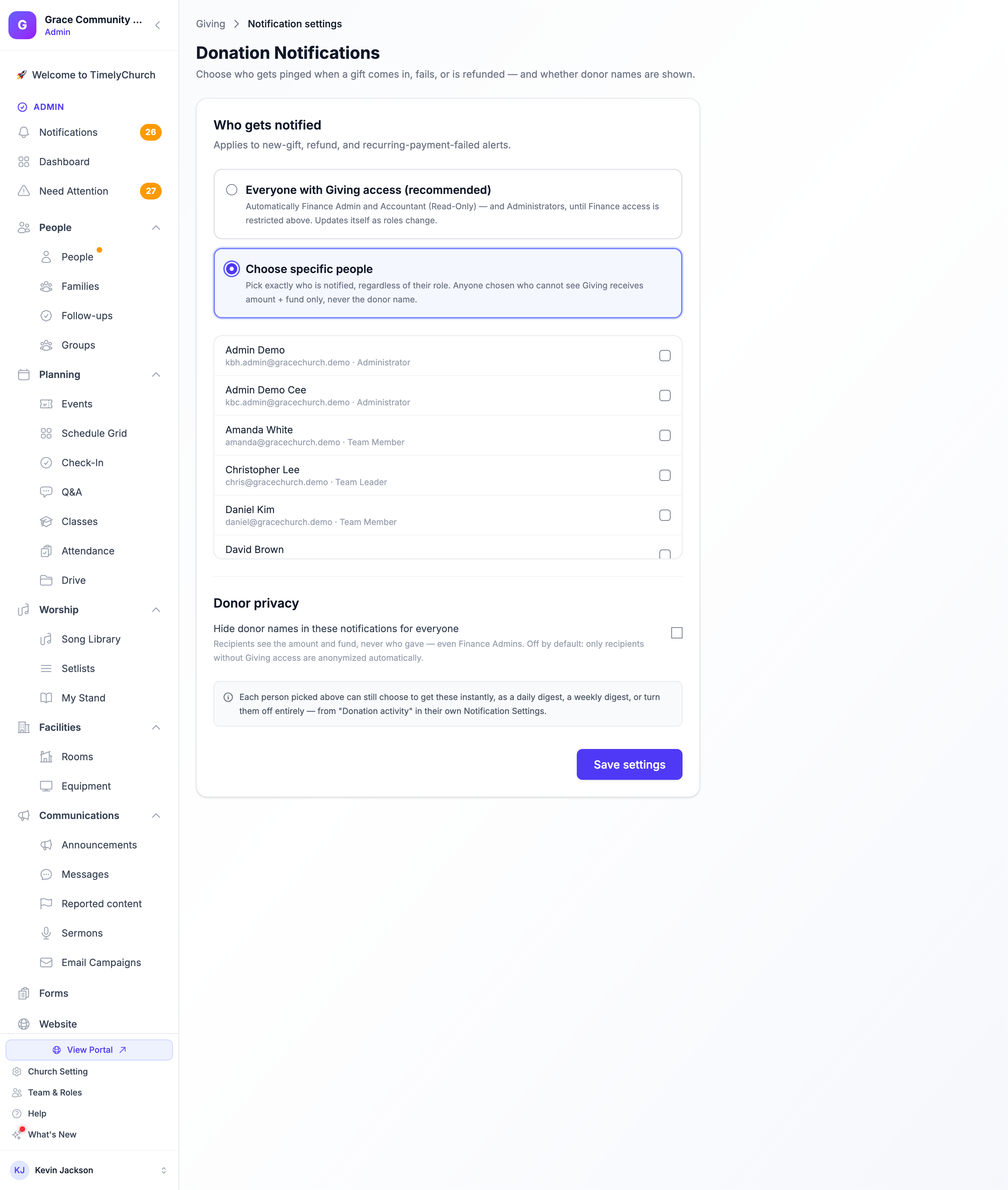
Who Gets Notified
The Who gets notified section "Applies to new-gift, refund, and recurring-payment-failed alerts." Pick one of two options:
| Option | What it means |
|---|---|
| Everyone with Giving access (recommended) | "Automatically Finance Admin and Accountant (Read-Only) — and Administrators, until Finance access is restricted above. Updates itself as roles change." |
| Choose specific people | "Pick exactly who is notified, regardless of their role." A list of your team members appears -- tick each person who should be notified. |
If you choose specific people and one of them cannot see Giving, that person "receives amount + fund only, never the donor name."
Donor Privacy
Under Donor privacy, the switch Hide donor names in these notifications for everyone removes the donor's name from every alert: "Recipients see the amount and fund, never who gave — even Finance Admins." It is off by default. When it is off, only recipients without Giving access are anonymized automatically -- see Who Can See Giving and Donations.
Click Save settings to apply your choices.
How Often Each Person Is Notified
"Each person picked above can still choose to get these instantly, as a daily digest, a weekly digest, or turn them off entirely — from "Donation activity" in their own Notification Settings." Donation Notifications decides who is eligible; each person's own settings decide how often they hear.
The "Every Administrator can currently see Giving" Notice
Churches that joined TimelyChurch before new accounts started keeping Finance away from the Administrator role see an amber notice at the top of this page, titled Every Administrator can currently see Giving. It explains that nothing has moved for your church -- every Administrator still has full Finance access -- and that you can adopt the restriction at any time. Restricting only changes who sees Giving and Accounting; it never deletes data, and you can grant access back to any role.
- Restrict now asks you to confirm, then keeps Giving, Funds, Pledges, Budgets, Accounting and Giving Statements away from the Administrator role. Administrators keep every other module; people who need finance access use a finance role such as Finance Admin or Accountant (Read-Only).
- Not now hides the notice.
The same choice is the Donation Privacy setting in Church Settings -- see Keeping administrators out of Giving.