
Welcome to TimelyChurch
TimelyChurch is a church management platform designed to help your church stay organized, connected, and growing. Whether you are a pastor, church administrator, or volunteer, this guide will help you get up and running quickly.
What Can TimelyChurch Do?
TimelyChurch brings together everything your church needs into one easy-to-use platform:
- People & Families -- Keep a complete directory of your congregation, organized by family. Track contact info, birthdays, and more.
- Follow-Ups -- Never let a visitor or new member fall through the cracks. Create and assign follow-up tasks for your team.
- Groups -- Organize your congregation into small groups, ministry teams, and classes.
- Events & Calendar -- Plan and manage church events with a shared calendar your whole team can access.
- Check-In -- Safely check in children and families for services and events.
- Lessons & Curriculum -- Create and schedule Sunday School lessons and curriculum materials.
- Announcements & Messaging -- Communicate with your congregation through announcements and direct messages.
- Forms -- Build custom forms for registrations, surveys, and more.
- Finances -- Track giving, manage funds, handle pledges, and run financial reports.
- Reports -- Generate reports on attendance, giving, membership growth, and more.
- Website -- Build and manage your church's public-facing website.
Who Is TimelyChurch For?
TimelyChurch is built for churches of all sizes. Here are the types of people who typically use it:
- Church Administrators -- Full access to manage people, events, finances, and settings.
- Pastors -- View dashboards, follow up with members, and stay on top of what is happening.
- Teachers -- Access lesson plans, schedules, and attendance tools for their classes.
- Volunteers -- View their assigned tasks and upcoming schedules.
- Members -- Access a personal portal to view announcements, update their profile, and connect with the church.
How to Log In
There are two different sign-in experiences depending on who you are:
Church admin / staff sign-in
- Go to timelychurch.com/login. (Sign-in always happens on TimelyChurch's own address, even if your church's public website uses a custom domain.)
- Enter the email and password you set up during registration or when you accepted your team invitation.
- After signing in, you'll land on your Admin Dashboard at
/c/your-church-name/portal/admin.
Tip: Bookmark
/loginfor quick access. If you forget your password, click Forgot password? on the sign-in page. Members who land on this page by mistake can use the Find my church → link under "Looking for your church's member portal?".
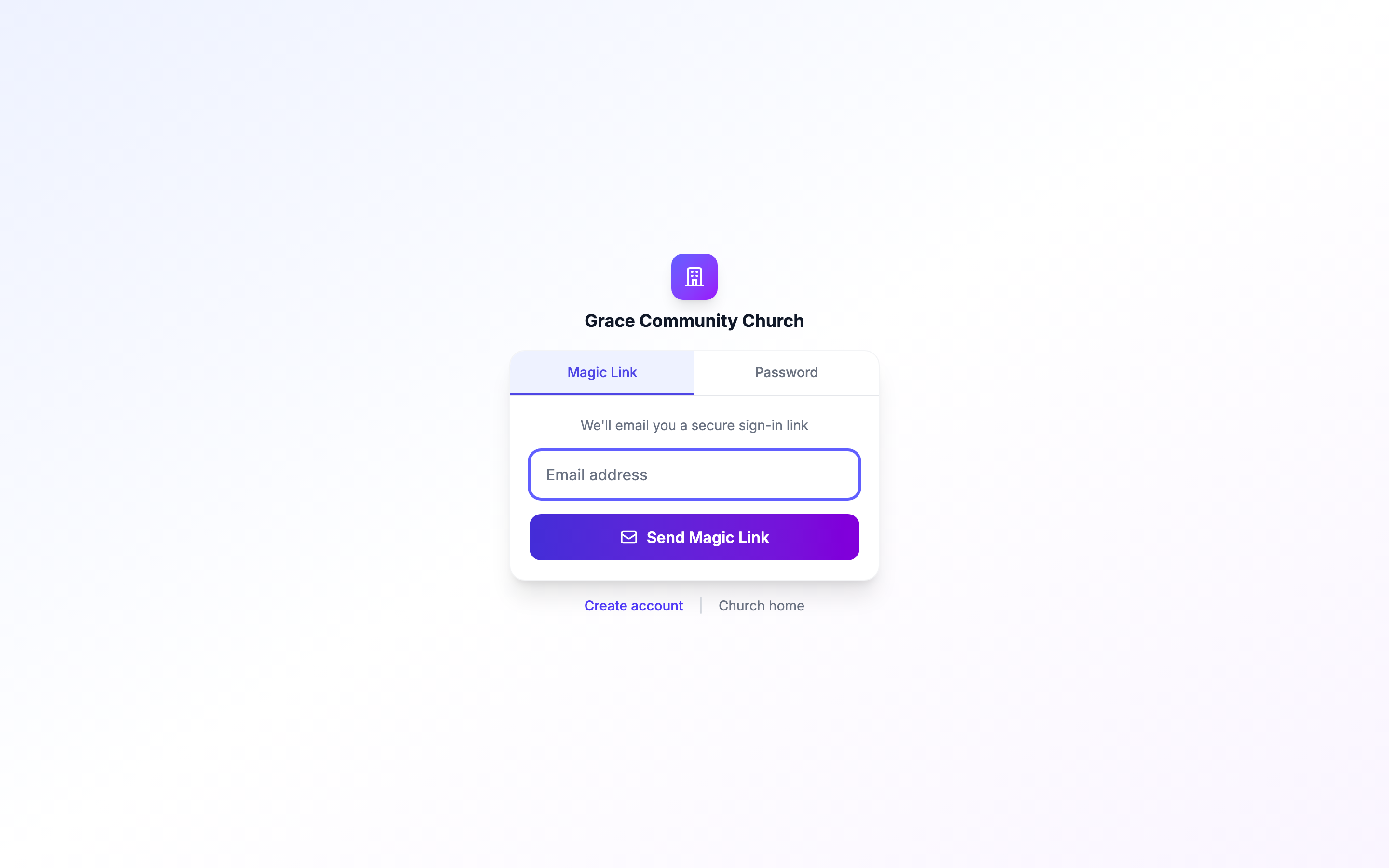
Member sign-in (your congregation)
Members typically don't have a password. They sign in through a magic link at:
timelychurch.com/c/your-church-name/login
They enter their email; TimelyChurch emails them a one-tap login link valid for a short time. After clicking, they land in the Member Portal (not the admin panel). See Magic Link Login for Members for details.
First-Time Setup
If you are the person setting up TimelyChurch for your church for the first time, here is what to do:
- Complete your church profile -- Add your church name, address, logo, and contact information.
- Invite your team -- Send invitations to pastors, administrators, and volunteers.
- Set up roles and permissions -- Decide who can access what in the system.
- Add your people -- Import or manually add your congregation to the directory.
- Explore the features -- Set up events, classes, announcements, and more at your own pace.
For a detailed step-by-step walkthrough, see the Quick Start Checklist.
Getting Help
If you ever need assistance:
- Click the Help button in the bottom-right corner of any page to chat with Sam, TimelyChurch's support assistant, or to reach the Help Center and our support team. See Getting Help and Chatting with Sam.
- Click the Help link at the bottom of the sidebar in your admin panel to open the Help Center.
- Browse these knowledge base articles for step-by-step guides on every feature.
Tip: Each church has a unique Support PIN that our support team may ask for when verifying your identity. You can find it on the Profile tab of Church Settings, in the Support Verification section.