
Keys, Transposing and What the Band Sees
Two questions about key come up every week, and they are not the same question:
- "What does this song sound like in A?" — you want to look at another key. The chart itself should not change.
- "This chart should be in A from now on." — you want the chart itself to change, or you want a wrong key label corrected.
The chord chart editor answers them with two different controls, so neither one can do the other by accident.
Where to find them: Worship → Song Library, open a song, then Chord chart. Written in is in the command bar at the top; View in is above the preview.
"View in" — Look at Another Key
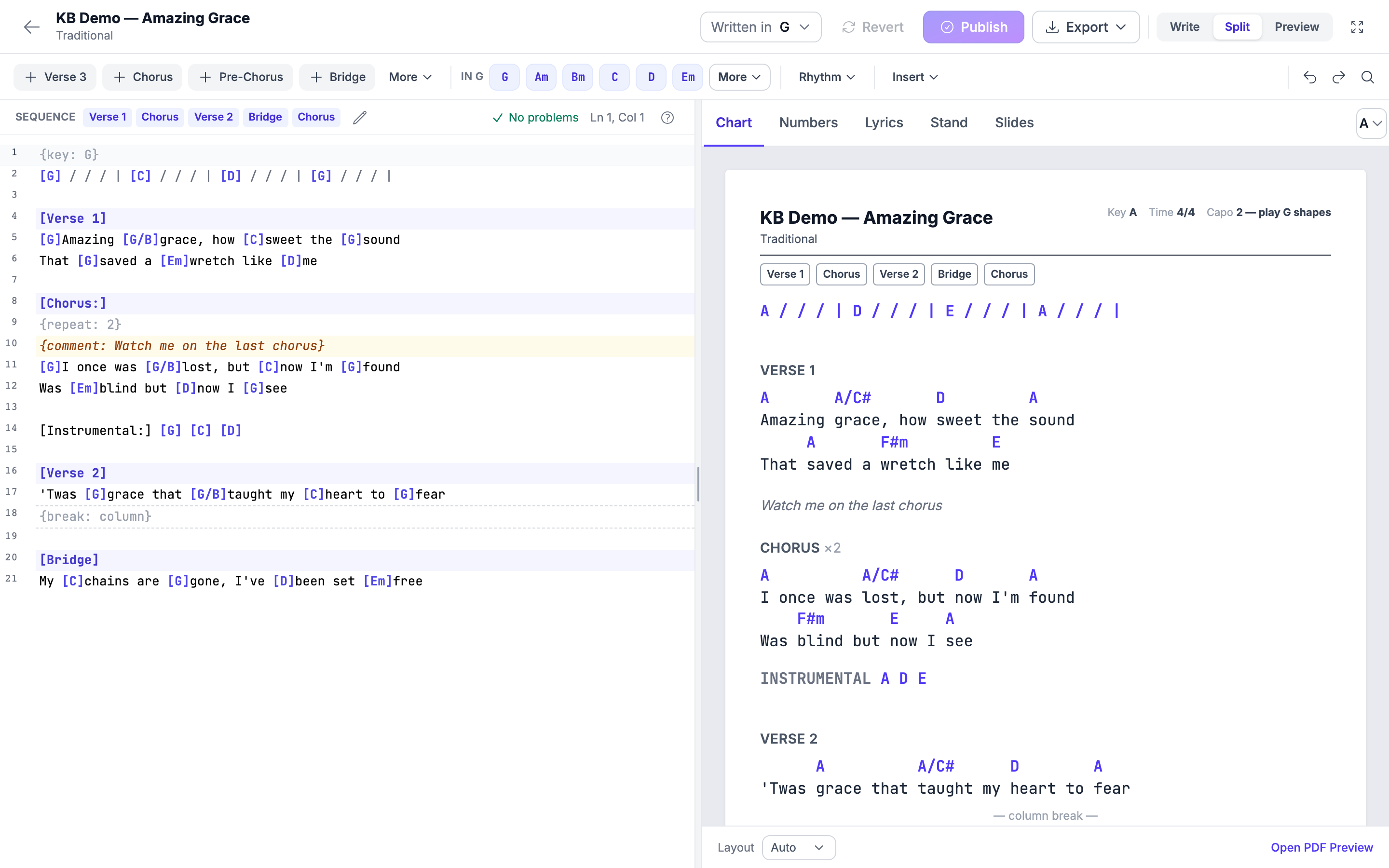
View in transposes the preview only. The text you wrote stays exactly as you wrote it.
Use it when:
- A singer asks what the song feels like a tone higher.
- You are deciding which key to play on Sunday.
- You want a PDF in a different key for one service, without changing the song.
The editor says it on the control itself: View only — never changes the text.
Only chords change key. Section headings and a label at the start of a
chord line, such as [Instrumental:], are never transposed.
The Capo Hint
When a viewing key has a friendlier shape on guitar, the preview shows a capo hint beside it — for example "Capo 2 — play G shapes." It is a suggestion for the guitarists, worked out from the key; it does not change a single note of the chart, and it does not appear for every key.
The same capo line is printed in the header of the Chord Chart PDF.
"Written in" — Change the Chart Itself
Written in is the key the chords are actually typed in. Opening it gives you two very different choices.
| Choice | What happens |
|---|---|
| Rewrite chart in another key | Every chord in your text is rewritten into the new key. The chart changes. |
| The key label is wrong — just fix it | Only the label changes. Not one character of the chart is touched. |
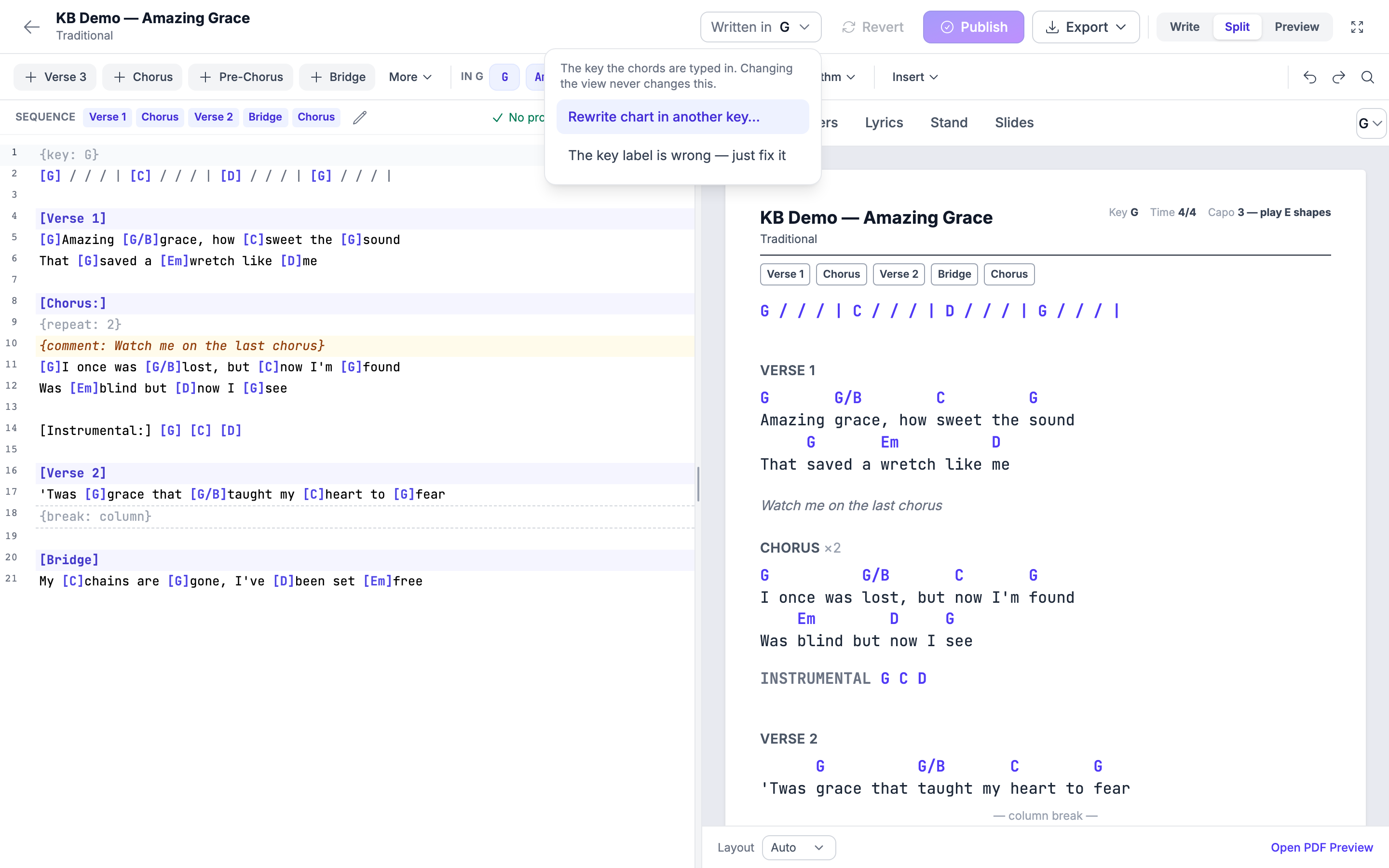
Rewrite is for "we play this in A now, let's write it that way."
Just fix the label is for the chart that was always in D while something, somewhere, said G. This is the one you want when the chords are right and only the label is wrong — rewriting would transpose a chart that was already correct.
Your team keeps seeing the published chart until you publish. A rewrite is an edit like any other: it lands in your private draft first.
Why the Key Line Matters
When you publish with a key chosen, that key is written into the chart.
That one line is what keeps four things saying the same thing:
- the song's header in the library,
- your setlists,
- My Stand, on the musicians' tablets,
- and the editor itself.
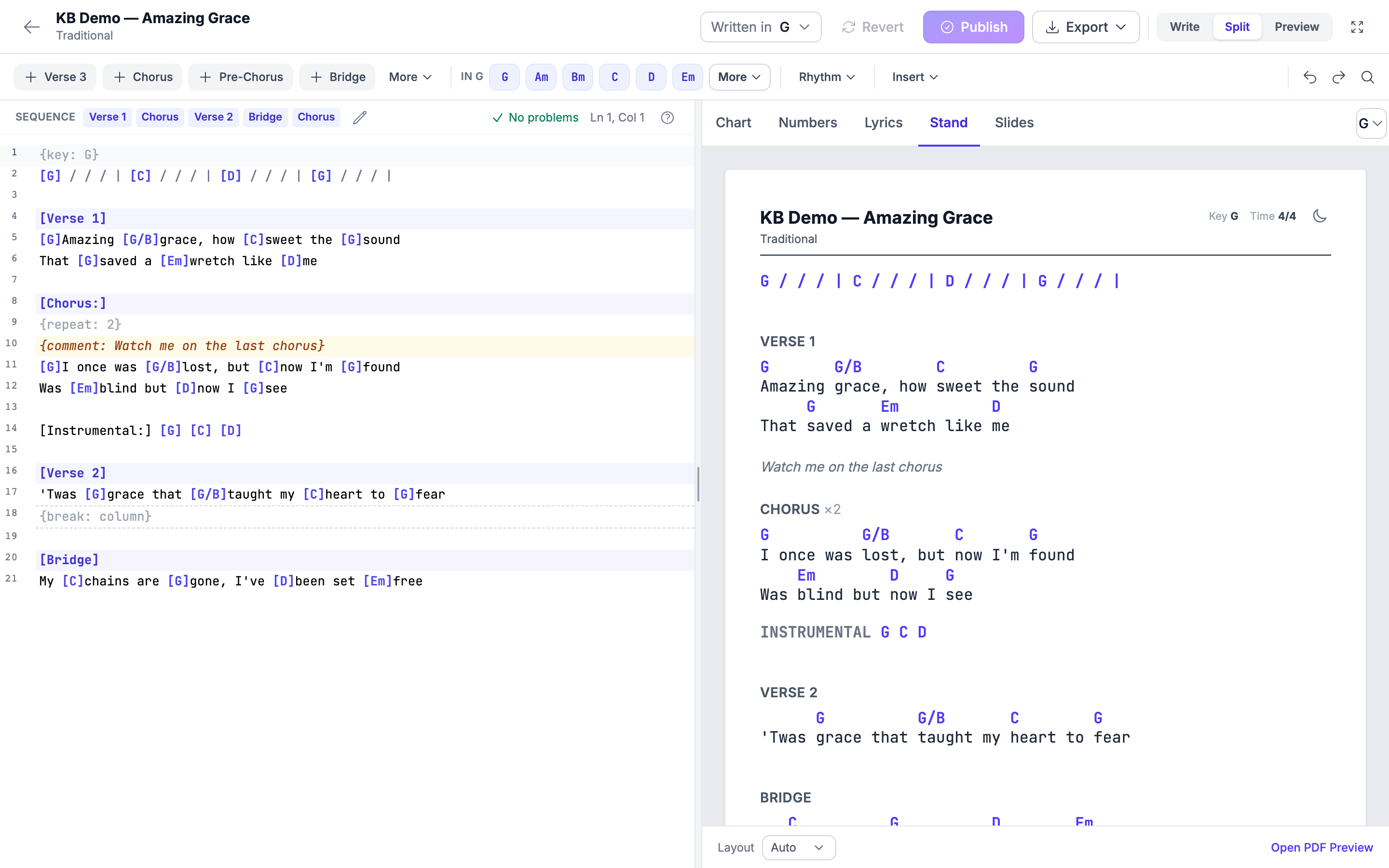
It is also what lets My Stand transpose the chart on screen for whoever is holding the tablet — a bass player reading in one key while the guitarist reads in another, from the same published chart.
When an Imported Chart Disagrees with Itself
A chart you pasted or imported — for example one copied from Planning Center — sometimes carries a key label that does not match the chords in the chart. When the editor notices that, it tells you — and it asks rather than guesses:
What key is this chart really written in?
Nothing changes until you pick the key. Choose the key the chords are actually in, and the label and the chart agree again. If the chords are what is wrong, use Rewrite chart in another key instead.
Nashville Numbers
The Numbers tab shows the chart as Nashville numbers, worked out from the key the chart is written in — which is one more reason for that key to be right. Numbers are the same chart seen as scale degrees, so a band that reads numbers can play it in any key you call on the day.
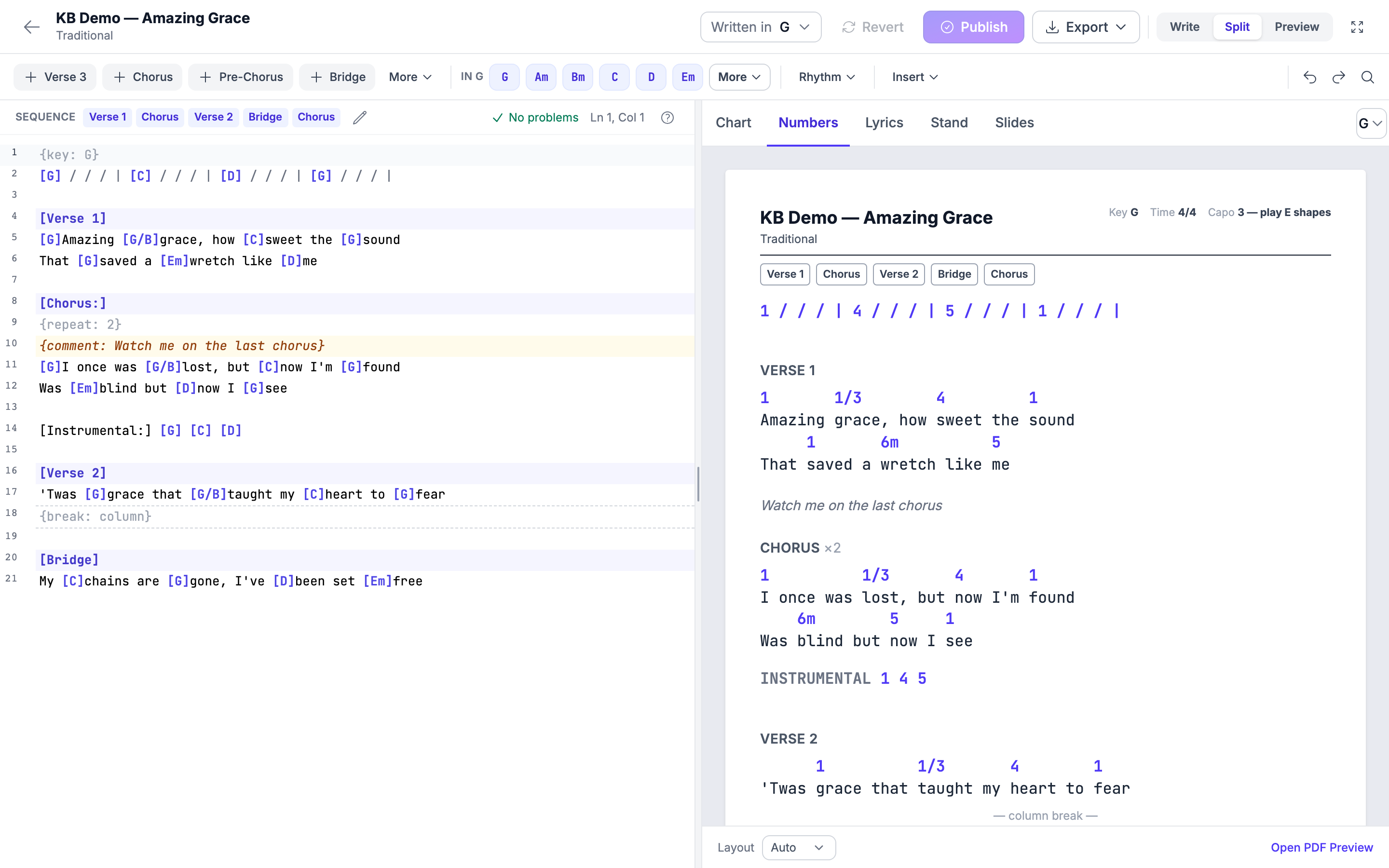
The Nashville PDF in the Export menu prints the same thing.
A small difference to know about: the spacing of the rhythm marks in the Numbers tab and in the Nashville PDF is not yet pixel-for-pixel identical. The chart and the numbers are the same; only the spacing of the
|and/marks differs slightly.
Exporting in a Particular Key
Export → Chord Chart PDF uses the current key — the one you are viewing in. So:
- To print the chart as written, leave View in alone and export.
- To print it in another key for one Sunday, set View in to that key, then export. The song is untouched.
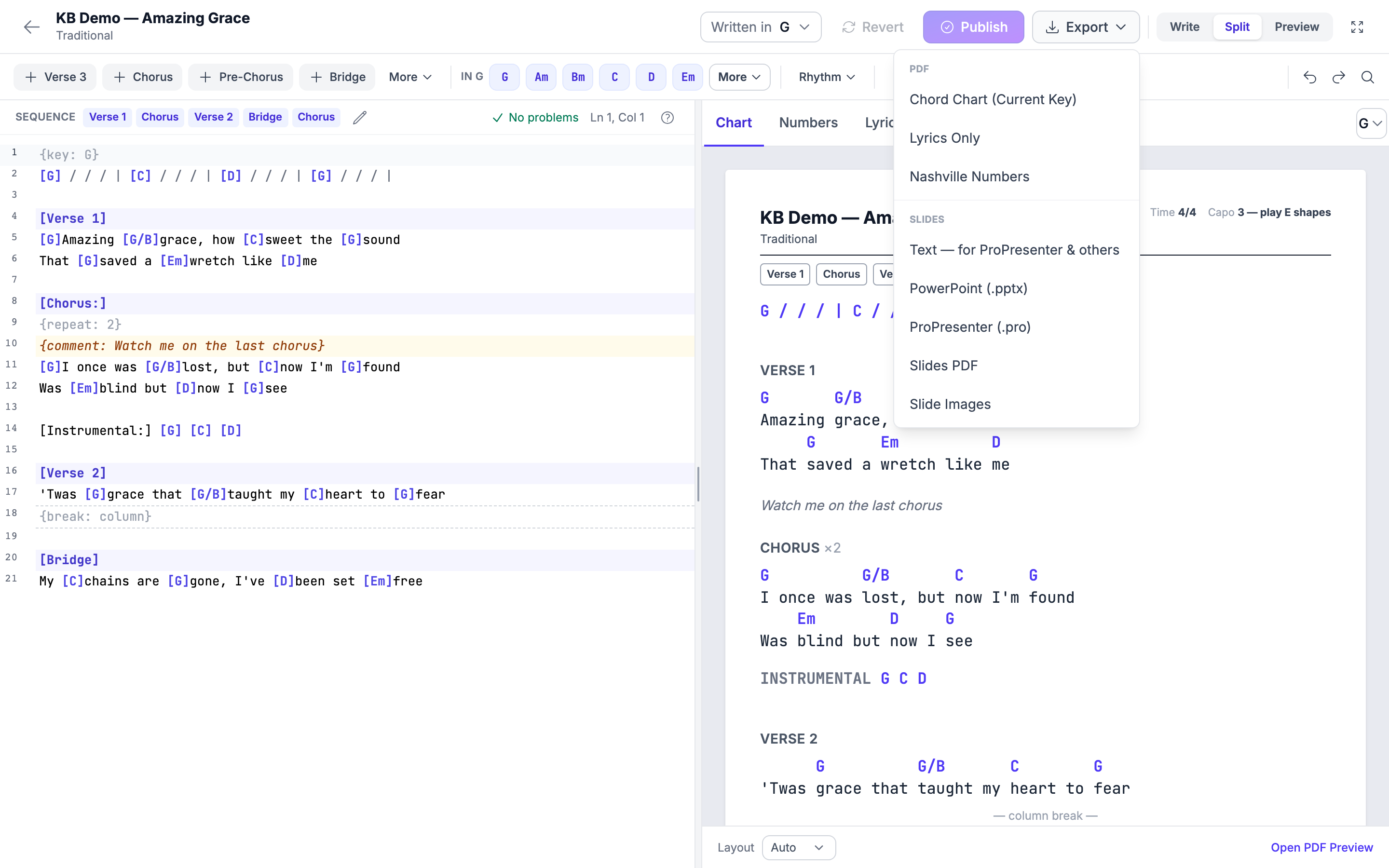
Exports always use the published chart, not an unpublished draft.
Which One Do I Want?
| What you are trying to do | Use |
|---|---|
| Hear how it sits a tone higher | View in |
| Print a PDF in the singer's key for one service | View in, then export |
| Give the guitarists a capo suggestion | View in — the hint appears on its own |
| Move the song to a new key permanently | Written in → Rewrite chart in another key |
| The chords are right but the key shown is wrong | Written in → The key label is wrong — just fix it |
| An imported chart's label disagrees with its chords | Answer the notice: pick the key the chart is really in |
| Let each musician transpose on their own tablet | Publish with the right key; My Stand does the rest |
Frequently Asked Questions
Does "View in" change my chart? No. It changes the preview and the export you take from it. The text you typed is untouched.
Does "Written in" change what my band sees straight away? Not until you publish. A rewrite goes into your private draft like any other edit.
I rewrote into the wrong key. What now? Rewrite it back, or use Revert to return to the published chart if you have not published yet.
Why does the capo hint not appear for my key? Capo hints are only offered where there is a friendlier guitar shape to suggest. They do not appear for every key.
Why does the song header show a different key from my chart? Publish the chart with the correct key chosen — that writes the key into the chart, and the header, the setlists and My Stand all follow it.
Can the band transpose the chart themselves? Yes — My Stand can transpose the published chart on screen, which is exactly why the key written into the chart needs to be right.
Related Articles
- Writing a Chord Chart in the Editor — the workspace, sections, chords, drafts and publishing
- Chord Charts and Key Transposition — the chord notation itself
- My Stand — The Big Picture — what the band reads on the stand
- Exporting Charts and Slides — every export format
- Analyze a Song's Key, BPM & Time Signature — working out a key from a recording
- Song Arrangements — a different key per arrangement
Last updated: October 3, 2026