
Form Templates Gallery
TimelyChurch ships with 18 ready-to-use form templates covering the most common church use cases. Templates save you time -- instead of building a form field by field, you pick a template, customize the parts that matter to your church, and publish.
How to Use a Template
- From the Forms sidebar item, click Templates (next to Create Form).
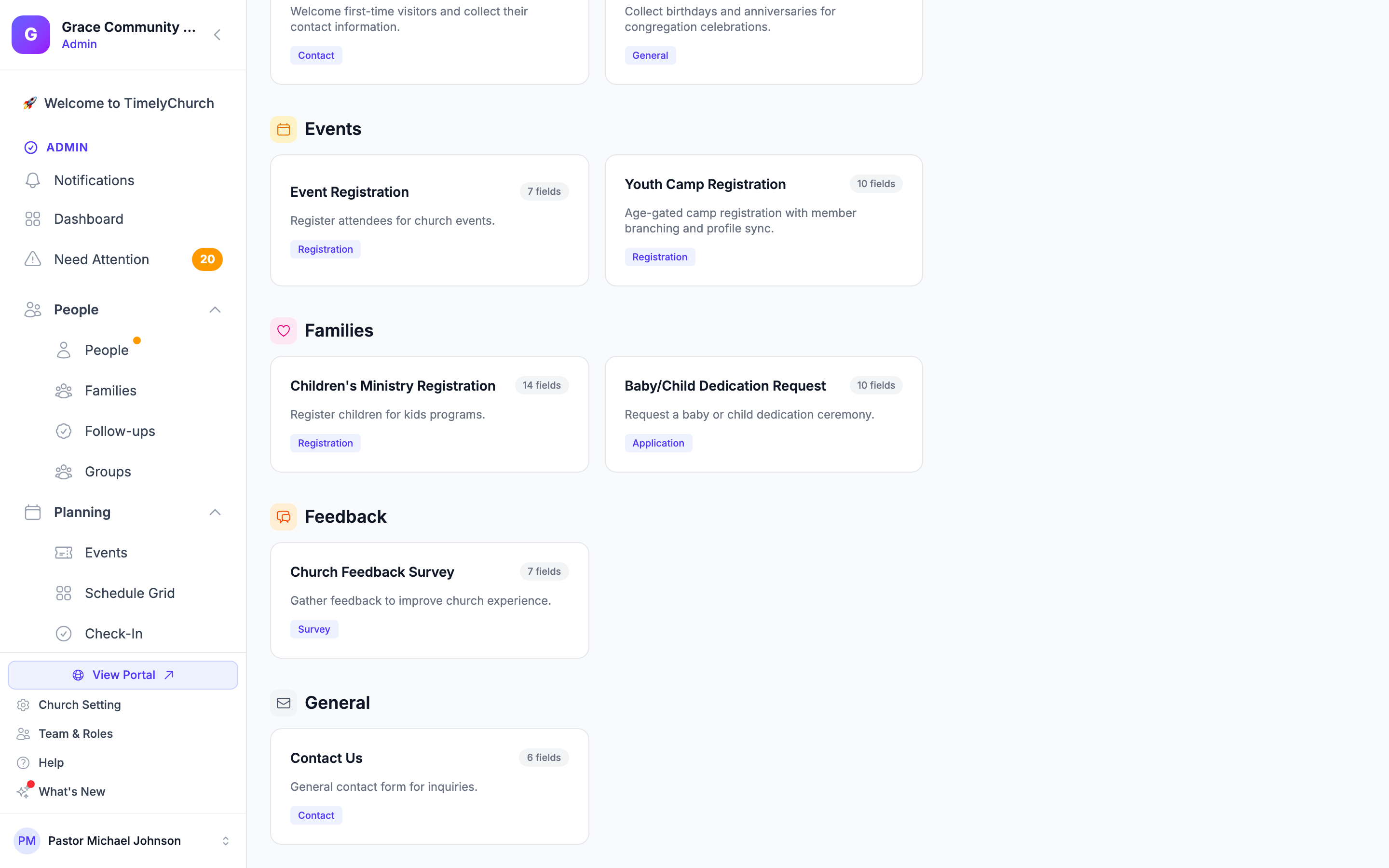
- The Create from Template gallery opens, organized by Category.
- Click the template that fits your need.
- (Optional) In Create Form from Template, override the Form Name -- by default the form is named after the template. You can rename it later too.
- Click Create Form.
- You are taken straight to the field editor. The template's fields, sections, profile mappings, and (where applicable) page breaks are already in place.
- Customize anything you want, then Publish when ready.
Behind the scenes, the form is created in Draft status with a sensible default confirmation message ("Thank you for your submission! We will be in touch soon.") and a unique slug. Templates that include multi-page flows have Show Progress Bar turned on automatically.
The 18 Templates
Templates are grouped into the following categories. Every template is fully editable after creation -- treat them as starting points.
Engagement
Visitor Connection Card
- Type: Contact
- Best for: First-time guest follow-up.
- Includes: First/Last name (mapped to Person), Email (mapped), Phone (mapped), "First/second/third visit" radio, "How did you hear about us?" dropdown, Interest checkboxes (membership, small groups, volunteering, kids/youth, pastor), Comments/prayer textarea.
Birthday & Anniversary
- Type: General
- Best for: Capturing congregation milestones for celebrations.
- Includes: Name + email (mapped), Birthday (mapped to the person's birthday), Wedding anniversary, Spouse name + birthday, Children's names & birthdays textarea.
Spiritual
Prayer Request
- Type: General
- Best for: Letting members and visitors submit prayer needs.
- Includes: Name (optional, allows anonymous), Email (optional), "Prayer For" text, Prayer Request textarea, Sharing preference (private vs public prayer wall), Follow-up Yes/No.
Baptism Request
- Type: Application
- Best for: Identifying people ready to be baptized and capturing their testimony.
- Includes: Name + email + phone (mapped), Date of birth, Previous baptism Yes/No, Testimony textarea, Preferred dates checkbox group, Questions textarea.
Testimony / Story Submission
- Type: General
- Best for: Collecting stories of faith for service, social, or website use.
- Includes: Name + email (mapped), Title, Testimony textarea, Sharing preference (public, first-name only, anonymous, pastoral only), "Willing to share live?" Yes/No.
Service
Volunteer Sign-Up
- Type: Application
- Best for: Recruiting volunteers and capturing their interests + availability.
- Includes: Name, email, phone (all mapped), Ministry interest checkboxes (10 options), Availability checkboxes, Experience and motivation textareas.
Events
Event Registration
- Type: Registration
- Best for: Generic event sign-up with guest count.
- Includes: Name, email, phone (mapped), Number of guests, Dietary needs textarea, Questions textarea.
Youth Camp Registration
- Type: Registration
- Best for: Age-limited camps and trips -- it shows three building blocks in one form.
- Includes: A "Youth Camp Registration" section ("Camp is open to youth ages 16 and older."), First/Last name (mapped), Date of birth (mapped) with Age Eligibility set to a minimum age of 16, Email and mobile phone (mapped), "Are you a member of our youth ministry?" (Yes / No, not yet), a note and a "Have you already talked with our youth leader about joining?" question that appear only when the answer is "No, not yet", Allergies/medications/medical notes, and Emergency contact.
- How it works: Anyone under 16 is blocked from submitting ("You must be at least 16 years old."). The member question uses conditional logic to show the follow-up only to non-members, and answering "Yes" marks the person as a Member (see Profile Sync Settings). Change the age in the Date of Birth field's Age Eligibility settings to fit your event.
Membership
Membership Application
- Type: Application (3-page flow with progress bar)
- Best for: Onboarding new members.
- Includes:
- Page 1 -- Personal Info: Name, email, phone, DOB (all mapped), full address.
- Page 2 -- Spiritual Background: Accepted Christ Yes/No, Baptized Yes/No, Testimony textarea, Previous church.
- Page 3 -- Getting Involved: Interest checkboxes (small group, serving, membership class, meeting a pastor), Questions textarea.
Groups
Small Group Interest
- Type: Registration
- Best for: Helping people find the right group for their life stage.
- Includes: Name + email + phone (mapped), Neighborhood, Group type checkboxes (Bible study, young adults, couples, men's, women's, parents, seniors, recovery), Availability checkboxes, Childcare needs.
General
Contact Us
- Type: Contact
- Best for: A clean catch-all contact form for your website.
- Includes: Name, email, phone, Subject dropdown (general, visiting, pastoral care, facility rental, giving, other), Message textarea, Preferred contact method.
Feedback
Church Feedback Survey
- Type: Survey
- Best for: Gathering rated feedback on overall experience, worship, and welcome.
- Includes: Name (optional), 3 x 1-5 rating radios (overall, worship, welcome), "What we do well" textarea, "What could we improve" textarea, Additional feedback textarea.
Families
Children's Ministry Registration
- Type: Registration (3-page flow)
- Best for: Annual or first-time kids ministry intake.
- Includes:
- Page 1 -- Child Info: Child's name, DOB, grade level, allergies/medical.
- Page 2 -- Parent Info: Parent name + phone + email (mapped to Person), Emergency contact name + phone.
- Page 3 -- Pickup Authorization: Authorized pickup persons textarea, Photo permission Yes/No, Additional notes.
Baby/Child Dedication Request
- Type: Application
- Best for: Scheduling baby dedications.
- Includes: Child's name + DOB + gender, Parent 1 name (mapped), Parent 2 name, Email + phone (mapped), Preferred dedication date checkboxes (next available, Easter, Mother's Day, Father's Day, other), Special requests.
Care
Benevolence / Financial Assistance
- Type: Application (2-page flow)
- Best for: Privately collecting and routing assistance requests.
- Includes:
- Page 1 -- Personal Information: Name + email + phone (mapped), Home address, Household size, Member Yes/No.
- Page 2 -- Assistance Details: Assistance type checkboxes (rent, utilities, food, medical, transportation, clothing, other), Situation textarea, Amount requested, "Received before?" Yes/No, Additional info.
Operations
Facility / Room Reservation
- Type: Registration
- Best for: Internal ministry or external rental requests.
- Includes: Contact name + email + phone (mapped), Event/meeting name, Facility dropdown (sanctuary, fellowship hall, gym, conference, classroom, kitchen, outdoor, other), Date, Time range, Expected attendance, Setup needs checkboxes, Additional details.
Missions
Mission Trip Application
- Type: Application (2-page flow)
- Best for: Vetting and routing trip applicants.
- Includes:
- Page 1 -- Personal Information: Name + email + phone (mapped), DOB, Emergency contact, Valid passport Yes/No.
- Page 2 -- Mission Trip Details: Why interested, Previous experience, Skills checkboxes, Health conditions, Fundraising plan radio.
Pastoral
Wedding / Pre-Marriage Request
- Type: Application (2-page flow)
- Best for: Capturing wedding requests before involving the pastoral team.
- Includes:
- Page 1 -- Couple Information: Bride's name, Groom's name, Email + phone (mapped), Bride/Groom church-member Yes/No.
- Page 2 -- Wedding Details: Preferred date + time, Ceremony location radio, Estimated guests, Reception at church Yes/No, Pre-marriage counseling Yes/No, Questions.
Customizing After Creation
Once a template form is created, it is just a normal form -- nothing is locked. Common edits people make:
- Rename the form so it says something specific to your church (e.g., "Hope Church Visitor Card" instead of just "Visitor Connection Card").
- Trim fields you do not want to ask about.
- Add fields unique to your church (e.g., a "Campus" dropdown if you have multiple locations).
- Adjust profile mappings -- some templates leave optional fields unmapped so you can connect them to your custom Person fields instead.
- Tighten/loosen "Required" flags to fit your context.
- Update the confirmation message under Settings to thank respondents in your church's voice.
- Set a notification recipient so the right team gets the email.
When to Build From Scratch Instead
Templates are great starting points, but consider building from scratch when:
- You need a very short form (1-3 fields) and the template overhead is unnecessary.
- Your form is highly specialized to your church (e.g., a niche internal workflow).
- You want to learn the field editor in depth -- building from scratch is the best way.
For a step-by-step build-from-scratch walkthrough, see 10-build-your-first-form.md.